Core / Pillar 27 min read Published Updated
AI Visibility Audit: Step-by-Step Checklist (2026 Guide)
I built my own measurement loop because ranking reports never told me whether a brand was cited. This is the AI visibility audit checklist I actually run.
On this page
- Why I Run an AI Visibility Audit First
- My AI Visibility Audit Checklist at a Glance
- Map Prompts, Entities, and Jobs to Be Answered
- How to Audit AI Visibility Across Answer Engines
- Pull Google’s Generative AI Performance Report
- Score the Gap Between Index Presence and Citations
- Diagnose Pages, Markets, and Freshness Drift
- Turn the Audit Into a Fix Queue I Recheck
- How I File and Rerun the Checklist
- 01
I treat an AI visibility audit as a prompt-to-citation loop, not a site crawl.
- 02
Google’s generative AI report covers Google surfaces; I still query the other answer engines on the same prompt sheet.
- 03
I score representation, citation, and recommendation as separate columns so a mention cannot hide a missing recommendation.
- 04
Every line on the checklist gets an owner, an action, and a recheck date.
Why I Run an AI Visibility Audit First
<p>I used to open ranking reports and still not know whether a brand showed up when someone asked ChatGPT or Perplexity a buying question. Those reports measured blue-link positions. They did not tell me if the brand was named, cited, or recommended inside an answer. That gap is why I run an ai visibility audit checklist first, before I rewrite pages. I treat it as a measurement pass, not a campaign. The loop I use is the same measurement loop I later document in how to measure ai visibility in 2026.</p>
What I mean by visible in an answer engine
<p>When I say a brand is visible in an answer engine, I am not talking about a screenshot of one ChatGPT reply. I mean the entity is represented inside the systems that later generate those replies. An arXiv paper on generative engine optimization frames AI visibility as the broader question of whether an entity is represented within a model’s parameters and retrieval indexes. That is the bar I use.</p>
<p>In practice I check two layers. First, does the model already know the brand well enough to name it without a live search? Second, when the engine retrieves sources, does the brand’s page sit in that retrieval set at all? A miss at either layer looks the same in a chat window: the brand is absent. Logging which layer failed makes the rest of this pass useful, because a parameter miss and an index miss need different next actions.</p>
Why I split visibility from GEO
<p>I split visibility from GEO because they answer different questions on the same day. Visibility is whether the entity is in the model or the retrieval index at all. GEO, in that paper’s account of generative engine optimization, is measuring and improving how AI search engines represent, cite, and recommend a brand. I treat GEO as the next layer: once the brand can appear, is it cited and recommended when a language model synthesizes an answer across multiple sources?</p>
<p>Operationally I keep two scores. Represented is a visibility flag. Cited and recommended are GEO flags. A brand can be represented and still never named in the answer. A brand can be named without a link. A brand can be linked without being the recommendation. Collapsing those into one AI rank number hid the work I actually needed to do. The split is how I decide whether to fix entity copy, source pages, or the prompt coverage itself.</p>
What I will not call an audit
<p>Pasting one prompt into ChatGPT and screenshotting the reply is not an audit. It is a sample of one surface, one session, one wording. I will not call that an audit because I cannot recheck it. I cannot tell a client or myself what changed after a content ship if the original pass has no prompt list, no engine, no date, and no quote.</p>
<p>What I will call an audit is a logged pass: the same prompt sheet, the same engines, a yes/no on citation, the URL if one appeared, a short quote, and a date. I rerun that sheet later. If the brand still is not named, I have a miss I can defend in a review. If it is named, I have a before/after on the same wording. That is the standard I hold this checklist to. The next section maps the blocks I actually run.</p>
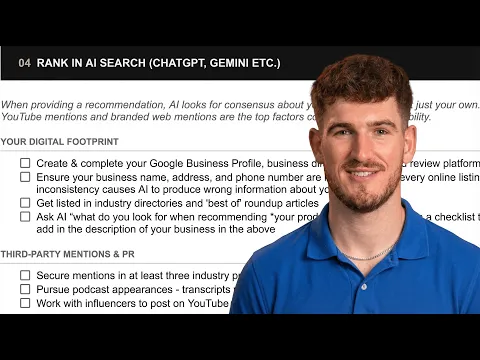
Video: The Ultimate AI Visibility Checklist (AEO/GEO for 2026) · Henry Purchase
My AI Visibility Audit Checklist at a Glance
<p>Before I type a single prompt, I timebox the pass and write the six blocks I will run. That map is the ai visibility audit checklist I actually use: prompts, engine pass, Google gen-AI report, scoring, gaps, fix queue. I do not start querying until the prompt sheet exists and the log columns are empty and waiting. I also lock the prompt sample size before I open an engine, then I stop. The timebox keeps me from turning one audit into an open-ended browsing session.</p>
The six blocks I never skip
<p>The six blocks I never skip sit in a fixed order. First I map prompts, entities, and jobs to be answered, so I am not inventing queries mid-pass. Second I run those prompts across the answer engines I care about and log what came back. Third I pull Google’s Generative AI performance report for the same period. Fourth I score each prompt on represented, cited, and recommended. Fifth I diagnose gaps at page, market, and freshness level. Sixth I write a fix queue with a re-query date.</p>
<p>A miss in block two without block three is a chat anecdote, and a Google export without a prompt log is another ranking-adjacent spreadsheet. The order stops me from fixing copy before I know whether the miss was a citation gap or an index gap. If I am teaching someone how to audit ai visibility, this sequence is the whole method.</p>
Timebox, sample, and the log I keep
<p>I timebox the engine pass before I open a tab. I cap the prompt sheet at a size I can finish in one sitting, then I stop. Expanding the sample mid-pass is how I used to lose the recheck.</p>
<p>The log is a table with six columns I write down every time: prompt, engine, cited Y/N, URL, quote, date. I keep one row per prompt per engine, no exceptions. Cited means the brand is named or linked in that answer, not that I liked the answer. URL is the citation target if the engine showed one. Quote is a short excerpt so I am not relying on memory. Date is the calendar day of the pass. Those columns are what later sections mean when I say the log. I leave diagnosis out of the raw log so I am not arguing with my own notes later.</p>
Why a crawl export is not this checklist
<p>A crawl export tells me what a site crawler fetched and which URLs look indexable. It does not tell me whether ChatGPT, Perplexity, or Google AI Overviews named the brand in an answer. I have watched sites with clean sitemaps still fail every citation column in my log. Indexation is a prerequisite I check, not the audit. I still run crawls; I just do not confuse them with citation.</p>
<p>This ai visibility audit checklist scores representation, citation, and recommendation against a prompt sheet. A crawl file cannot produce those three columns. When I need a numeric way to talk about the citation side, I use the method in our guide to ai visibility score, then I still keep the raw log. Mixing crawl status with cited Y/N is how I used to congratulate myself for pages no answer engine mentioned. I do not treat the crawl export as a substitute.</p>
Map Prompts, Entities, and Jobs to Be Answered
<p>I build the prompt sheet for the ai visibility audit checklist before I open any engine. The sheet is not a keyword list. Classic SEO queries are what people type into a search box. Answer-engine prompts are jobs: compare, recommend, explain, choose. I write those jobs first, then I attach the entities I expect to see named. Skip this step and I query whatever I remember. The contrast with ranking work is the same one I walk through in our guide to ai visibility vs seo.</p>
Brand, category, and comparison prompts
<p>I always include three families. Brand prompts name the company or product and ask what it is, who it is for, or how it works. Category prompts never name the brand; they ask for the best options in the space. Comparison prompts put the brand next to named alternatives or ask which to pick for a job.</p>
<p>Comparison prompts are where recommendation gaps show up. A model can describe the brand accurately on a brand prompt and still omit it from a what should I use answer. That omission is the miss I care about: visible enough to discuss, still not recommended when the model synthesizes across sources. I write at least one comparison prompt per job I care about, in wording I will re-query later. I do not add extra comparisons mid-pass because an answer annoyed me. That mix lets me label a miss as a recommendation gap rather than a total absence.</p>
Entity aliases I add before querying
<p>Before I query, I add a short alias list to the sheet. Legal name, trading name, product names, and the misspellings I already see in search logs all go in. I am not trying to trick an engine. I am trying to avoid scoring a miss that was only a string mismatch.</p>
<p>If a model cites the product name but never the company name, that is a mention I still log as cited for that product prompt. If it only recognizes a misspelling I did not list, I would have marked a false miss. I also note abbreviations and former names. I query the primary name first, then I spot-check one alias when the primary pass is empty. I do not run every alias on every engine in the first sitting; that blows the timebox. The alias list is a scoring aid, not a second prompt sheet.</p>
Keeping a living prompt sheet
<p>I treat the prompt sheet as versioned. The file name carries a date. When I add a job or retire a prompt, I duplicate the sheet rather than silently edit last month’s row. Otherwise a recheck compares two different lists and I invent a story about improvement. I keep dated copies in the audit folder.</p>
<p>Each job maps to a URL I expect to be the source page, the same URL I will look for later in Search Console’s generative-AI report. That mapping is how I connect a chat miss to a page miss. I do not require the engine to cite that exact URL; I require myself to know which page I would inspect if the job fails. New jobs only enter the living sheet after a ship or after a review, not because I saw a clever prompt on social media at midnight. Versioning is what makes the ai visibility audit checklist recheckable.</p>
How to Audit AI Visibility Across Answer Engines
<p>I query ChatGPT, Perplexity, Google AI Overviews, Gemini, Copilot, Grok, and Claude with the same prompt sheet in one sitting. This is the engine pass on the ai visibility audit checklist: I record what each surface returns before I open Search Console. Ranking reports never told me whether a brand was named in those answers. I built AI Rank Checker later after a listicle of mine surfaced inside ChatGPT; that is a sampling lesson, not a product story.</p>
Surfaces I query in one pass
<p>I keep one prompt sheet and walk it across seven surfaces: ChatGPT, Perplexity, Google AI Overviews, Gemini, Microsoft Copilot, Grok, and Claude. I do not rewrite prompts per engine. If I change wording, I cannot compare citation notes later. I paste the same string, wait for the answer, and fill the log: prompt, engine, cited Y/N, URL if any, a short quote, and the date. I screenshot when a citation chip would disappear in a copy-paste.</p>
<p>I run the pass logged out when the product lets me, and I note logged-in sessions separately when that is the only way the surface loads. That is an observation about session state, not a workaround. Personalized history can change which brands show up, so I write which state I used. I do not mix those rows when I score the ai visibility audit checklist. One sitting, one sheet, seven engines, then I stop querying and start coding the notes. I query them the same day so freshness does not drift.</p>
Citation, mention, and recommendation notes
<p>For every answer I write three flags, not one. Named means the brand string appears in the prose. Linked means a URL or citation chip points at a page I own. Recommended means the model tells the reader to use, buy, or prefer that brand when it synthesizes across sources. I keep those columns separate because a mention without a link is not the same event as a recommendation. I fill all three flags every time.</p>
<p>That split matches how I read the GEO paper on citation and recommendation: when a language model synthesizes an answer across multiple sources, citation and recommendation are distinct outcomes. I quote a short span of the answer so I can defend the flag in a review. I do not invent a percentage. A row is Y or N for each flag, with the quote attached. If the quote is ambiguous, I mark the flag N and write the reason in the log.</p>
The listicle that showed up inside ChatGPT
<p>I once published a listicle that compared measurement approaches for answer engines. Weeks later I ran my usual ChatGPT prompts and the model recommended AI Rank Checker, the tracker I had built, without any paid placement I could point to. I logged the prompt, the date, the quote, and the fact that a URL did not always travel with the name. That row taught me more than a ranking screenshot. I re-ran that prompt and logged whether the name still appeared.</p>
<p>I treat it as a sampling lesson. One hit does not mean the brand is visible on Perplexity or Gemini. I still walked the rest of the sheet. The listicle was answer-shaped, with named entities and comparisons, which is the kind of page I now inspect when a recommendation appears with no citation chip. I do not claim a causal proof. I claim a logged event I can re-query.</p>
Pull Google’s Generative AI Performance Report
<p>After the engine pass I open Search Console. Google provides a Generative AI performance report in Search Console for measuring how content performs in generative AI features on Google Search and Discover, which I treat as the Google slice of how to audit ai visibility. I export the window I will recheck later. I do not mix this report with classic Search performance; I keep the file next to the engine log so index presence and citations can be scored side by side. This export is the Google block I score against.</p>
Impressions and which of my URLs appeared
<p>I start with impressions. Google's generative-AI reporting includes impressions for URLs that appeared in generative AI features, so I export that table before I argue about citations. An impression here means a URL of mine showed up inside those features, not that a user clicked, and not that ChatGPT named the brand. I sort by URL and mark which jobs to be answered those pages were supposed to cover. I keep the export date on the file name so the recheck uses the same grain.</p>
<p>The same report identifies which pages from a site appeared within Google's AI features. I copy that page list into the score grid of the ai visibility audit checklist. If a URL I care about is missing from the export, I write not in gen-AI features for this window, which is an observation about the report, not a verdict on the page. I do not convert impressions into a made-up visibility percentage. Pages that did appear become the first column of the score.</p>
Country and device cuts I actually open
<p>I open the country cut next. The report supports analysis of generative-AI visibility by country, and I use that as a checklist line: which markets produced the impressions I just exported. If one country carries almost the whole count, I write that down. I do not infer motive. I only record that the window's impressions are concentrated, and I later match those countries to the prompt languages I actually ran. I paste the top countries into the log next to the engine notes.</p>
<p>For Search results, the report can identify the devices used when people saw a website in generative AI features. I split mobile and desktop when the export lets me. A page that appears on mobile Search and never on desktop is still a hit in the Google slice; I do not drop it. I add a device note on the row so the fix queue does not assume a uniform surface.</p>
Hourly through monthly views for the recheck
<p>I pick a time grain before I screenshot anything. Google's report provides hourly, daily, weekly, and monthly performance granularity for monitoring visibility over time. For a first pass I use weekly or monthly so the window is wide enough to include the prompts I ran. For a recheck after a content change I drop to daily, and I use hourly only when I need to see whether a dip sits inside a single day.</p>
<p>The grain has to match the fix queue. If I ship a page on Tuesday, a monthly view can hide that ship. If I recheck too soon, an hourly view can look empty. I write the grain and the date range on the export so the next pass uses the same pair. I do not compare a daily slice to last month's monthly total and call it a drop. I keep those four grains on the checklist as a reminder.</p>
Score the Gap Between Index Presence and Citations
<p>I now have an engine log and a Search Console export. Scoring is the conversion step: I turn those rows into three columns I can defend, represented, cited, recommended, without inventing a percentage. Represented is the visibility question; cited and recommended are the GEO question. I score prompt by prompt, engine by engine. A blank cell stays blank. This grid is the scoring block on the ai visibility audit checklist. I do not average engines together.</p>
Three columns I can defend in a review
<p>Represented means I have evidence the entity showed up in a retrieval surface or in Google's gen-AI page list for the window. Cited means the brand was named or linked in an answer I logged. Recommended means the model told the reader to prefer it. I put Y/N in each cell and keep the quote or URL as the footnote. I can walk a stakeholder through any cell on the ai visibility audit checklist without a chart. I leave a cell N when I cannot point at a log row.</p>
<p>I borrow the split from how the paper defines AI visibility versus GEO: visibility is whether an entity is represented within a model's parameters and retrieval indexes; GEO is measuring and improving how AI search engines represent, cite, and recommend a brand. I do not merge those into one score. A brand can be represented and never recommended. I show that gap as three columns, not as a single rank.</p>
Retrieved but never named
<p>The gap I see most often is a URL that appears in the Generative AI performance export and never appears as a named citation in ChatGPT, Perplexity, Gemini, Copilot, Grok, or Claude. The page was retrieved on Google's side. The other engines did not name the brand in my prompt set. I mark represented Y for the Google slice and cited N everywhere else. That is a measurable miss, not a theory about training data.</p>
<p>I then match the URL to the job on the prompt sheet. If the page was built to answer a comparison prompt and Google recorded impressions while no engine named us, I do not default to publishing another article. The fix is to inspect that URL's entity copy and whether other sources already absorb the citation. I write the URL on the gap list with both observations attached. I keep those two notes on one row.</p>
Recommendation is not the same as a citation
<p>A citation chip and a recommendation are different cells. I have logged answers that named a competitor with a link and then told the reader to use my brand with no URL. I have also logged the reverse: a link to my page and a recommendation for someone else. When a model synthesizes an answer across sources, those two outcomes can diverge. I refuse to collapse them into we were mentioned.</p>
<p>That is why GEO treats cite and recommend as separate when a language model synthesizes an answer across multiple sources. On the grid, cited Y and recommended N is a real gap. So is the opposite. I write the quote that justifies each flag. I keep both flags even when the answer is short. Success later is a changed flag on the same prompt, not a smoother sentence in the answer.</p>
Diagnose Pages, Markets, and Freshness Drift
<p>After the three-column score, I stop treating the log as a pile of yes/no cells. I ask which page, which country, which device, and which time window produced each miss. Google’s AI optimization guide describes a Generative AI performance report in Search Console for measuring how content performs in generative AI features on Search and Discover. That report is the page, country, device, and time slice; the engine log is the named-citation slice. I match both to the prompt jobs I already wrote down on the ai visibility audit checklist.</p>
Page-level misses I mark first
<p>I start with pages, not with markets. For every prompt on the sheet I already have a job-to-be-answered and a candidate URL. I open the report and check whether that URL appeared. Google’s gen-AI performance reporting includes impressions for URLs that appeared in generative AI features, and it identifies which pages from a site appeared within those features. I also check the engine log: cited yes or no, and the quoted URL if one existed.</p>
<p>A miss I mark first is a prompt whose candidate page never showed in Google’s AI features and never appeared as a named citation on ChatGPT, Perplexity, Gemini, Copilot, Grok, or Claude. A second miss is a page that did appear in the report yet never got named in the other engines. I write that URL next to the prompt on the sheet. I do not invent a reason. I only record that the job and the page did not line up in this pass.</p>
Country splits that change the story
<p>I open the country cut next because a site-wide impression count can hide a single-market story. The same performance report documentation supports analysis of generative-AI visibility by country. I write the countries that produced impressions next to the prompt jobs those pages were meant to answer. I do this even when the total looks healthy.</p>
<p>When one country carries the whole count, I treat that as a checklist line, not a verdict on the brand. I also open the device cut. For Search results, the report can identify the devices used when people saw a website in generative AI features. I log desktop versus mobile only when the split changes which pages I will inspect. I do not claim a motive. I record which market and which device the impressions sat on for this window. If the engine log names a market I never queried, I add it to the next sheet.</p>
When last week’s numbers are already stale
<p>I pick the time grain after I pick the page and the country. The gen-AI performance reports post states that Google’s report provides hourly, daily, weekly, and monthly performance granularity for monitoring visibility over time. I match the grain to the fix I am about to queue. A content ship last Tuesday is a daily or hourly question. A page that has sat unchanged for a month is a weekly or monthly question.</p>
<p>A dip that only exists in a one-day window can be a window artifact. A dip that holds across the weekly and monthly views is a drop I will recheck. I write the date range next to the score so the next pass uses the same window, not a prettier one. I do not compare an hourly slice to last month’s monthly total. If I cannot say which grain I used, I do not treat the number as a diagnosis.</p>
Turn the Audit Into a Fix Queue I Recheck
<p>A diagnosis with no owner is a note I will forget. I turn every miss into one action, one URL or entity, and one re-query date. I do not expand the prompt sheet mid-cycle. I do not add engines I skipped on the first pass. The queue is the last block of my ai visibility audit checklist: content, entity, and source-page work, then the same prompts and the same Google window again. I keep the log columns unchanged so the before and after sit on the same rows.</p>
Content, entity, and source-page actions
<p>I bucket each miss into one of three owned actions. If the brand was never named, I check the candidate page for the legal name, product names, and aliases I logged. If the page was retrieved or impressed but unused, I reshape it toward the job: answer, evidence, entity. If other engines already cite a different source for that job, I treat that cited page as a pattern. I reuse the observable structure, heading, definition, comparison block, on a page I control. I pick one bucket per miss, not all three.</p>
<p>The GEO paper describes Generative Engine Optimization as measuring and improving how AI search engines represent, cite, and recommend a brand. My queue is the improve half of that sentence. I do not write “be more visible.” I write one concrete line per miss: add the alias on the product page, answer the comparison on a vs page, or publish a source page that states the cited fact.</p>
What I re-query after a change
<p>After I ship the action, I re-run the same prompt sheet on the same engines: ChatGPT, Perplexity, Google AI Overviews, Gemini, Copilot, Grok, and Claude. I use the same logged-out or logged-in state I recorded on the first pass of the ai visibility audit checklist. I pull the same Google report window, same country, same device cut if I used it, same grain. I do not add prompts because a new idea showed up. I do not drop a prompt because it felt embarrassing.</p>
<p>The recheck columns stay: prompt, engine, cited Y/N, URL, quote, date. If I built a tracker, I look at appearance frequency on those same prompts only. I built AI Rank Checker to see how often a brand appeared for a fixed set of queries; I use it as a frequency log, not as a substitute for the engine pass. Success on this step is a second dated row, not a new dashboard. I compare row to row, not engine to engine.</p>
Closing the loop without a vanity chart
<p>Success is a logged before and after on the same prompts. I want to see whether represented, cited, and recommended flipped on rows I can defend in a review. Citation and recommendation stay distinct. The same paper’s GEO definition concerns whether a brand is cited and recommended when a language model synthesizes an answer across multiple sources. A new citation without a recommendation is still a change I record. A recommendation without a URL is a different change.</p>
<p>If frequency moved on the tracker I built, I write the two dates and the two counts. I do not chart a percentage I cannot recompute from the log. Closing the loop is filing that before/after next to the fix queue, then stopping until the next cadence. I also keep the Google impressions for the matching URLs in that same window, so index presence and citations stay on one page.</p>
How I File and Rerun the Checklist
<p>The audit is not finished when I close the tabs. I file a folder I can reopen in a month without reconstructing the method from memory. That folder is how I rerun the same ai visibility audit checklist instead of inventing a new one. Cadence follows content ships and the report’s weekly and monthly views, not a slogan. I do not keep screenshots as the record. I keep the sheets I can sort. Nothing in it is a slide.</p>
The artifact I keep after every pass
<p>After every pass I write five files into one dated folder: the versioned prompt sheet with aliases, jobs-to-be-answered, and candidate URLs; the engine log with prompt, engine, cited Y/N, URL, quote, and date; the Search Console export with the pull date, the country and device cuts I opened, and the grain I used; the score grid with represented, cited, and recommended on one row per prompt; and the fix queue with the action, me as owner, the URL, and the re-query date.</p>
<p>I name the folder with the pull date, not with a campaign name. If I used AI Rank Checker as a frequency log, I drop that export in the same folder with the same date. I do not mix two windows in one folder. Anyone who opens it should be able to re-run the ai visibility audit checklist without asking me what I meant. I add one line for logged-out versus logged-in so I do not guess later.</p>
How often I rerun the same checklist
<p>I rerun when I ship a queued page, and on a weekly or monthly grain that matches the Google report I already use. If I shipped nothing, I still open the monthly view to see whether impressions moved without a content change. I do not rerun daily as a ritual. Hourly is for a ship I need to confirm landed in the report, not for a full engine pass.</p>
<p>A practical cadence for me is an engine pass when the queue item ships, the Google report on the weekly view during an active queue, and the monthly view when the queue is empty. I reuse the prompt sheet until a new job-to-be-answered appears. Then I version the sheet and start a new folder. I treat that cadence as the working answer to how to audit ai visibility without starting from scratch each month. I file the new pass beside the old one so the before/after stays visible.</p>
Frequently asked
I run a full checklist monthly and a lighter pass weekly. Google’s Generative AI performance report in Search Console supports hourly, daily, weekly, and monthly granularity. For how to audit ai visibility I use weekly views to catch swings and monthly audits to re-test prompts, citations, and competitors. After a major content or schema change I re-run that checklist immediately.
I start in Search Console’s Generative AI performance report. It shows impressions for URLs that appeared in generative AI features on Search and Discover, which pages were shown, country splits, and devices for Search. I export that, then still hand-test ChatGPT, Perplexity, Gemini, Copilot, Grok, and Claude with the same prompt set, because Console only covers Google.
No. A technical SEO audit checks crawl, index, speed, and structured data. An AI visibility audit asks whether the brand is represented in a model’s parameters and retrieval indexes, and whether engines cite and recommend it when they synthesize answers. I still use technical findings as inputs, but the ai visibility audit checklist measures citations and recommendations, not only rankings.
In 2026 I put ChatGPT, Perplexity, Google AI Overviews, Gemini, Copilot, Grok, and Claude on every checklist. Those are the engines brands actually get asked about. I log each one separately for how to audit ai visibility: cited, mentioned without a link, recommended, or absent. Google’s Generative AI report covers Google features only; I still query the others by hand.
I start with twenty to forty prompts: branded, category, comparison, and problem queries a buyer would type. I freeze that set and re-run it every audit so how to audit ai visibility stays comparable. I add a prompt only when a real question shows up in sales or support. Each prompt is run on every engine on the checklist.
I treat zero citations as a baseline, not a failure. I log the same prompt set, note every miss, check brand appearance in retrieval. I publish citeable pages answering those prompts and watch Google’s Generative AI report for first URL impressions, how to audit ai visibility after a zero-citation log. GEO measures how engines represent, cite, and recommend the brand.
