AI Visibility Tools 27 min read Published Updated
12 Best AI Visibility Tools for Agencies in 2026 (Reviewed)
I wrote this from retainer work: seat caps, client portals, and export formats decide whether an AI tracker survives more than one brand.
On this page
- 01
I treat list price as a headline and decide on seats, prompt caps, and who pays for the second login.
- 02
White label ai visibility is not one switch: some plans ship a client portal, some ship branded PDFs, some reserve the flag for Enterprise.
- 03
Google Search Console now reports AI Overviews and AI Mode; I still need a third-party tracker for ChatGPT, Perplexity, and the other engines.
- 04
I will not promise a refresh interval a vendor has not published, and I put that gap in the SOW before the kickoff call.
What I look for in AI visibility tools for agencies
I ran GEO experiments across client sites for a couple of years before I started writing these reviews, and the lesson that stuck was the boring one: the tool that survives past a single brand is the tool my team can actually log into. My monthly AEO framework covers three companies at a time, one ecommerce, one B2B SaaS, one local services, and each one needs a different reporting rhythm. So when I compare ai visibility tools for agencies, I start with seat math, then client portals, then export formats. Model coverage, sentiment, and share of voice all matter, but they sit downstream of whether I can deliver the report on the day the client expects it. I keep more on best ai visibility tools open beside me as a reference when a new name shows up in an RFP.
Client reporting now includes Google’s own AI surfaces
Client reporting changed shape for me this year. Search Console's generative-AI performance reports show a site's impressions in AI Overviews and AI Mode, and they name the pages that appeared in those features, so "which URL did the AI cite?" finally has a first-party answer. The same reports segment by country and by device, which matters when a client sells into three markets and only one of them converts on mobile. Granularity runs hourly, daily, weekly, and monthly, so I can read a launch week without waiting on a monthly rollup. Two things I check before building a slide: Google gives website owners a control over whether their sites may appear in and help ground responses, and owner insights cover impressions plus which pages appear and in which countries. Google's optimization guidance sends site owners back to that report to measure performance in Search and Discover.
Seat math, portals, and white label ai visibility
Seats and workspaces are not the same thing, and the difference decides my margin. A tool that sells five seats forces me to share logins or buy again when a contractor joins for a quarter; a tool that sells unlimited seats with workspace or project caps lets me hand out access and meter the work instead. Prompt caps are the second lever, some plans count prompts per day, some per month, and a few count the answers as well as the questions, which shortens the runway on a multi-engine report. Then there is white label ai visibility: I check whether it means a live client portal, a branded PDF, or a flag sitting in an Enterprise tier. A PDF is fine for a quarterly review; a portal is what ends the "can you send me last week's numbers?" thread. I write all three down before I let a client near a login.
1. Search Atlas
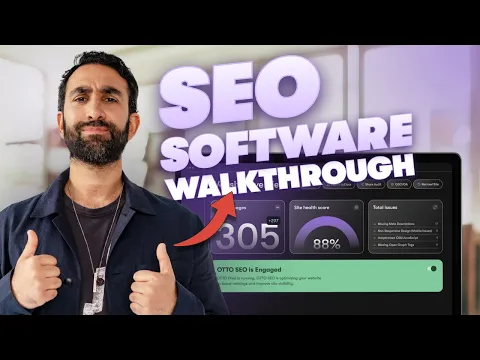
Search Atlas is one of the few ai visibility tools for agencies where white-label sits inside the entry tier instead of behind an Enterprise gate. For an agency that changes the onboarding conversation: I can put a client in front of a branded view in week one rather than promising it at renewal. The trade-offs show up in the seat ladder and in how the LLM Visibility credits are metered, and prices move often enough that I re-check them before quoting. Current figures live in our guide to ai visibility tools pricing, which I keep handy when a client asks why one tracker costs more than another.
Starter white-label, seats, and LLM Visibility credits
Search Atlas publishes four self-serve tiers, Starter, Growth, Pro, and Agency, and the ladder is built on two variables: how many seats come with the plan, and how many LLM Visibility projects and credits are included. White-label is listed from Starter upward, which is early for this price band; most tools reserve a client-facing view for the top tier. The trial runs 7 days. For an agency, the practical question is whether the included LLM Visibility credits stretch across every brand you report on or only the first account you set up, so I map the credit count against my client roster before picking a tier. OTTO, the platform's AEO agent, is priced as a separate add-on with its own site price rather than bundled into the seat tiers. I cost both lines before committing a retainer to it.
OTTO, MCP, and live dashboard links for clients
Exports are where Search Atlas earns its place in my stack. Depending on the report, I can pull a PDF, take a CSV into a spreadsheet model, or hand a client a live dashboard link that updates on its own, that last option removes the resend-the-deck loop entirely. Coverage is worth double-checking: the engines listed on the pricing page and the counts quoted elsewhere on the site don't always match, so I confirm the current list before promising a client that a particular assistant is tracked. OTTO is deployed as an add-on to the platform rather than through a separate login. The MCP layer exposes 30 AEO tools, which I use to pull visibility data into a client workspace without leaving it. The API is listed as Enterprise-only, so on self-serve tiers the CSV export is the integration path.
2. Surfer SEO

Surfer started as a content optimization tool and added AI tracking later, and the plan gating still follows that order. That matters when I evaluate ai visibility tools for agencies, because the tier that fits your content workflow is not always the tier that tracks prompts. I keep two questions in front of me, does this plan track AI prompts at all, and if it does, how often does it refresh? When a client asks me to scope an enterprise ai visibility platform in 2026, Surfer is usually one of the first three names I price out, mostly because the entry tiers are cheap enough to test before anyone signs anything.
Which plans actually track AI prompts
The plan ladder is where Surfer gets interesting. Discovery does not include AI tracking, so it is a content plan only. Standard adds ChatGPT tracking on a weekly cadence, enough to spot a trend, not enough to report a launch week cleanly. Pro is the first tier that behaves like a tracker: 50 prompts checked daily across 5 engines. Above that sit Peace of Mind and Enterprise, which layer on the higher-touch elements. Surfer also sells AI Search Analytics as a standalone product, which is worth knowing if you want the tracking without the content editor seats. My rule of thumb: a weekly read on one assistant fits Standard, while a monthly multi-engine deliverable needs Pro or the standalone Analytics tier. Prices sit on the pricing page and shift with promotions.
Exports, MCP, and Enterprise white-label
Two operational details decide whether Surfer fits an agency workflow. First, the data comes from UI scraping rather than an official API, and cadence differs by plan, daily on Pro, weekly on Standard, so a client expecting real-time answers will be waiting regardless of tier. Second, exports are CSV plus view-only shared links rather than a full white-label portal. MCP access starts on Pro, which is the point where I can pull prompt data into my own tooling. White-label reporting is listed for Enterprise, so if branded client-facing reports are a hard requirement, that is the tier to price. One note for anyone writing AI instructions: Surfer's own /ai-instructions/ page states that Claude is not among the tracked models, so build the prompt set around what is actually monitored.
3. Nightwatch
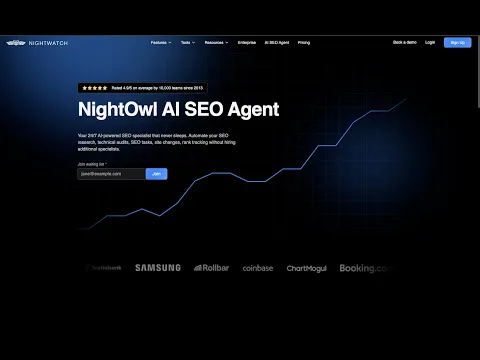
Nightwatch occupies a specific slot among ai visibility tools for agencies: it is the tool where seat count stops being the billing unit. Unlimited seats, branded PDF reports, and a monthly ceiling on both prompts and AI answers. That dual cap is the first thing I check, because it decides how many client workspaces fit on one subscription before I have to renegotiate mid-quarter. All five engines come with the plan rather than being sold as an add-on, which removes one recurring question from the client call.
Unlimited seats versus prompt and answer caps
Nightwatch prices in EUR across three published tiers, Starter, Professional, and Agency, with unlimited seats on each, a site allowance, and a 14-day trial. The wrinkle is that Nightwatch meters two things at once: prompts and AI answers per month. A plan can look generous on prompt count and still bind on answer volume, because one prompt fired across several engines returns several answers to store. In my notes, one tier's prompt allowance worked out to roughly 50 prompts a day if you spread the monthly number evenly across 30 days, comfortable for one brand, tight for four. So I take the client roster, multiply prompts by engines, and compare that against the answer ceiling before looking at anything else.
Daily scans, NightOwl, and branded PDF reports
Scans run daily and cover all five engines rather than gating engines by tier, which matters when a client asks why one assistant is missing from last week's report. It samples queries instead of holding a fixed panel, so the corpus shifts between runs, good for spotting movement, less good if you need to defend an absolute share-of-voice figure line by line. For white label AI visibility this is the simplest setup in my shortlist: branded PDF reports I can send without editing, plus a Looker Studio path for clients who want a live view. MCP is available from Professional upward. NightOwl surfaces findings inside the platform but does not publish content or act on what it finds; it stops at recommendations.
4. Ahrefs
Ahrefs is the suite most agencies already pay for, so the real question is not adoption but whether Brand Radar justifies the plan math. The structure is unusual: one seat included, prompt checks metered, extra seats billed on top. That pushes the cost model toward few logins and many checks rather than many logins on one shared workspace, which changes how I brief a junior team on ai visibility tools for agencies. It also means the AI layer sits inside a suite clients already recognise on an invoice.
Brand Radar, one included seat, and prompt-check packs
Brand Radar does not appear on Starter at all, it begins at Lite and scales through Standard and Advanced, with the monthly prompt-check allowance rising by tier. Every paid plan includes a single seat; additional seats are billed in the $40 to $100 range depending on the plan, so a five-person account team becomes a real line item rather than a rounding error. There is no trial on paid plans, which means most evaluations of Brand Radar happen on a live subscription or a short commitment. Custom Prompt add-on packs let you buy extra check volume without moving tiers. My rule: size the check packs to the client roster first and the seats second, because check volume is what runs out mid-month.
Share of Voice, exports, and the Claude connector
Brand Radar covers seven engines, and cadence is mixed rather than uniform, some surfaces refresh on a different rhythm than others, so a weekly client email should state which engine updated when. Collection is UI-based scraping rather than an official API for the tracking itself. On metrics, Ahrefs reports AI Share of Voice; there is no single composite visibility score that collapses everything into one number, which I prefer for client conversations, since share of voice is easier to explain than an index. Exports are CSV and metered against the plan. A hosted MCP server appears in Claude Connectors, so the tracking data can be queried from inside Claude, and Web Analytics carries an LLM filter for separating AI-referred sessions.
5. Conductor

Conductor sits at the quote-only end of ai visibility tools for agencies. There are no published dollar prices for the AI product line and no self-serve checkout, so you cannot answer a procurement question with a link. That makes it hard to slot into a mid-size agency's stack on price alone. What it does offer is a stack built for enterprise reporting: official API sampling, GA4 joined into the same workspace, and a first-party Claude connector. It is the tier I bring up when a client has a data team and a security review.
Usage quotas when list prices are unpublished
Conductor publishes usage quotas rather than prices. Essentials, Growth, and Enterprise each carry a defined quota band, and AI Search Credits are metered separately: the lower tier includes none, the mid tier around 2,500, and Enterprise 2,500 or more. No USD figure was published for any tier on official pages as of my review, so the only path is a sales conversation. One detail worth raising with procurement: the trial copy describes a three-week trial in the page title and a 30-day trial in the metadata, so I confirm the exact length in writing rather than assume either. There is a free AI Visibility Report that does not require a demo, which is the one part of Conductor you can evaluate before speaking to anyone.
API sampling, GA4 reporting, and AgentStack
Coverage spans nine engines, sampled through official APIs rather than UI scraping, with configurable cadence, you set the refresh rhythm per client instead of accepting a fixed one. That combination is why I put Conductor in front of clients who need defensible methodology. GA4 sessions and conversions sit in the same reporting layer, so AI-influenced outcomes can be read next to the prompt data instead of in a separate tab. Conductor names 16+ bots for log-level analysis. MCP ships with five tools alongside a first-party Claude connector, and SAML is named for SSO. The platform surfaces findings and recommendations; it does not take autonomous action on them, which keeps a human in the approval loop.
6. LLMrefs

LLMrefs is the flattest pricing model on this list: one paid plan, one number, and no per-seat maths to redo every time someone joins the account team. I set it up against a small client workspace because I wanted to see how far a single tier stretches. The answer depends on two things, refresh cadence, and how much prompt depth a client expects in the monthly read.
One $79 plan with unlimited seats
The plan is called All in One and it lists at $79. In exchange you get 500 prompts, unlimited seats, unlimited projects and unlimited domains, plus API access. There is a free account and a 7-day trial, so I can run the whole workflow before a retainer budget is committed. Two details I noted during setup: the API documentation page I opened was empty at the time of my review, and no MCP offering appeared anywhere in the sitemap I fetched.
Unlimited seats is the part that matters most to me. I can hand logins to an account manager, a content lead and a freelance analyst without the bill moving. The question I asked support was whether the 500 prompts pool across all projects or reset per project, because with a half-dozen client domains that distinction decides whether the tier is workable. On white label ai visibility, my notes don't list a client portal of any kind.
Eleven engines, weekly refresh, CSV and API
LLMrefs documents eleven engines and updates the dashboard weekly. Reporting surfaces are an AI Visibility Score and Share of Voice, and there is a 4.5M ChatGPT Prompts Database to mine when a client's question set is thin. Export is CSV only in the version I used, which suits me for modelling in Sheets but is not the artefact I'd hand to a client. Neither GA4 nor Search Console is named in the material I reviewed, so the join between AI visibility and on-site behaviour happens on my side.
Weekly refresh is the honest constraint. If a client's category moves daily, a weekly snapshot is a lagging indicator, and I'd rather say that in the kickoff call than explain it in month three. For steady retainers where I'm tracking narrative drift rather than news cycles, it holds up fine.
7. SE Ranking

SE Ranking is an SEO platform plenty of agencies already have open in a tab, and its AI Search features sit inside that subscription rather than beside it. The pricing logic differs from a dedicated tracker: seats and prompts are bundled by plan, and heavier AI Search work runs on a check-based add-on bought in packs. That structure rewards agencies who know how many prompts they actually need per client, which is the first number I nail down.
Seats, daily prompts, and the paid AI Search add-on
Core ships with one seat and Growth with three; extra seats start at $16 each. Prompt allowances climb with the plan, from 100 to 250 tracked prompts per day, and there is a 14-day trial. With Core's single seat, the realistic pattern is one shared login rotated between clients unless you buy seats, the same trade-off as most ai visibility tools for agencies in this price band.
The add-on maths is where client budgets get away from people. One prompt checked against one engine counts as one check, so a 100-prompt set across five engines is 500 checks a day. SE Ranking publishes check packs on the pricing page, and I now calculate monthly consumption before quoting a retainer. Running that sum up front is the difference between a plan that scales with the account and one I quietly absorb.
SE Visible metrics, MCP, and report formats
The AI Search reporting is surfaced as SE Visible, and the documented metrics are Visibility Score, Share of Voice and Net Sentiment. Collection runs through UI scraping rather than official APIs, which is worth knowing when a client asks why a figure can shift between two runs. The mention-opportunity Sources report is the piece I lean on most in reviews: it shows which third-party pages are being cited for a question, and that list usually becomes my content brief.
MCP access spans roughly 160–180 tools, broad enough that an agent can pull prompt-level data into a workflow without me exporting files by hand. Exports cover PDF, HTML and XLS. For a client-facing deliverable I still rebuild into the agency template, because the XLS export is the cleanest raw material I've found here.
8. seoClarity
seoClarity splits into two buying conversations when I price ai visibility tools for agencies. The platform plans carry published figures, and Clarity ArcAI, the layer that handles AI visibility work, is quote-only. That means two line items in one proposal and an easy place to mis-scope a retainer. I keep them separate deliberately when costing a client, because treating ArcAI as a small add-on to a known platform price is where my estimates used to break.
Platform list prices versus quote-only ArcAI
Platform list prices sit in the $2,500–$4,500 range across the Research & Content, Technical SEO and Enterprise tiers, with unlimited users at every level. That figure buys the classic search stack, not the AI layer. ArcAI is presented in three configurations, Core, Discovery and Accuracy, each listed as Ask for a Quote, with entry starting at 500 prompt queries. There is no self-serve checkout; trials are custom and arranged after a demo.
For an agency, the AI visibility portion of a proposal has to wait on a sales call. I build the client budget with the platform figure as the floor and leave ArcAI pending until the quote is in writing. It also means I don't compare seoClarity to a $79 plan on price alone, they're built for different-sized retainers and different reporting expectations.
Unlimited users, warehouses, and a CSM on every plan
ArcAI covers nine engines, and the reporting set includes share-of-voice benchmarking and sentiment alongside visibility tracking. Traffic data joins from Google Analytics, Search Console and Adobe, so AI visibility numbers can sit next to sessions and conversions in one view rather than in a separate screenshot. Access control is applied platform-wide with SSO and SAML named, which is usually the first question a client's IT team asks me.
A dedicated customer success manager is included with every subscription, not only the top tier. That's material for an agency: an escalation path that doesn't depend on which plan the client bought. Data can also be pushed into warehouse and BI destinations, which is how I prefer to serve reporting when a client already runs a dashboard. On white label ai visibility, I couldn't verify a rebranded portal from the material I reviewed, the client-facing surface described there is the reporting layer and those BI destinations.
9. Rankability
I shortlist Rankability when I need ai visibility tools for agencies that meter workspaces, not people. Unlimited seats matter on retainers where account managers, strategists, and a client stakeholder all need login access. Starter, Core, and Team include 1, 3, and 10 workspaces and 60, 125, and 250 active prompts. I map workspaces to clients before kickoff, because an eleventh brand does not fit Team. SPI replaces share of voice in the decks I send.
Workspaces instead of seat fees
On every Rankability quote I open, I ignore seat count and read the workspace ladder. Starter is one workspace, Core is three, Team is ten. Seats are unlimited on all three, which is the line I need when an account director, a writer, and a client CMO all log in. Active prompts sit at 60, 125, and 250. I treat an active prompt as a tracked query that occupies a slot until I archive it, so 250 is a ceiling across workspaces, not per client.
A 7-day trial is listed on the paid tiers I reviewed. Engine gating is 3, 5, and 8 by plan. Rankability’s help centre also notes 11 platforms, which is a wider figure than the plan gating, so I record both numbers in the comparison sheet and I do not assume Team unlocks every surface the help centre names.
SPI, GA4 referrals, and branded audit reports
Rankability scores visibility with SPI rather than share of voice; I have not seen an SoV column in the reports I use, so I do not invent one for clients. Sentiment is available. GA4 is joined through named AI referrers, which is the chart I drop next to SPI when a CMO asks whether mentions became sessions. I keep SPI and the GA4 referrer chart on the same slide.
MCP lists 97 tools. An API sits on all paid tiers, which I prefer to an Enterprise-only flag when I need to pipe data into a client warehouse. Shareable audits carry agency branding; that is the white label ai visibility I actually ship, a branded audit, not a live client portal. Autonomy is generate-and-stage only: I can draft and stage work, but I do not treat Rankability as a publisher that ships changes live on its own.
10. Peec AI
Peec AI is the tracker I open when unlimited users matter more than a published seat ladder. Starter, Pro, and Advanced cap countries at 1 and 3; I pick three models on those tiers. All 13 engines sit behind Enterprise. A separate agency ladder, Essential, Growth, Scale, meters credits for multi-client work, which is the quote I request when I am not putting one brand on a self-serve plan. The no-card trial’s length is unpublished. I keep those two SKUs separate in every proposal.
Unlimited users, country caps, and agency credit plans
I treat Peec as two SKUs. Starter, Pro, and Advanced are the self-serve ladder. Users are unlimited, so I do not invoice extra seats to a client. Country caps are 1 on Starter and 3 on Pro and Advanced. I select three models on those tiers. All 13 engines are documented on Enterprise, which is where I go when a global retainer cannot live inside three countries or three models.
For agencies, Essential, Growth, and Scale meter credits instead of a flat prompt allotment. I put multi-client work on that ladder so one brand cannot burn another brand’s quota. Credit remaining is the number I watch weekly, not user count. A no-card trial is offered; the trial length is unpublished, so I do not promise a client a specific number of days. I confirm country and model selections in writing at kickoff.
Thirteen engines, gap analysis, and ChatGPT ads
Peec scrapes the UI daily. I get Visibility, share of voice, and sentiment on that cadence, plus Gap Scores when I need a ranked list of missing mentions. GA4 AI Referrals is the session join I use in monthly decks. Log-based tracking names 40+ bots. ChatGPT ads appear for named countries; I only report that channel where Peec documents it, and I do not extend the claim to markets I have not checked.
MCP lists 92 tools, and a first-party Claude connector is available when the client already works in that chat. SSO is documented on Enterprise. Thirteen engines is the top of the stack; I do not assume Starter or Pro sees all of them. Gap Scores are the slide I use when a client asks which prompts the brand does not yet appear on. That is the reporting kit I actually send.
11. Goodie AI

Goodie AI is the tracker I model with four caps on one row: seats, countries, languages, and action credits. Core and Pro are the self-serve rungs I quote; Agency Growth is a separate $350 line with 3 core models. I treat the Enterprise API flag as a hard constraint. If a client warehouse needs a pull, I do not sell Core as the reporting layer. That is the filter I apply to ai visibility tools for agencies before I open the prompt list.
Three-seat Core, action credits, and country limits
Core is the plan I open first: 3 seats, 2 countries, 2 languages, 100 prompts, 10 action credits. Pro is 5 seats, 5 countries, 5 languages, 250 prompts, 30 action credits. I burn a seat on the client stakeholder, so Core’s three seats are an account manager, a strategist, and the client, a fourth login is a plan change. Action credits are a second ceiling; I do not treat the 100 or 250 prompts as the only meter.
A 7-day trial is listed on Core. Agency Growth is published at $350 with 3 core models, which is the SKU I compare when the roster is multi-brand but still too small for Enterprise. I confirm country and language selections at kickoff because a second market on Core is a plan conversation, not a toggle.
GA4 attribution, MCP, and Enterprise strategist
Goodie gates models across 12 engines; I do not assume every plan sees all 12. Visibility is daily. GA4 joins sessions, conversions, and revenue, which is the attribution block I want when a client asks whether an AI mention paid for itself. I can report named bots alongside the GA4 join. MCP is on Core and Pro; the API is Enterprise only. I write that split into the SOW so nobody expects Core to include API access.
Enterprise adds an AEO Success Strategist and all-time lookback. I use the strategist as a named contact on large retainers. I put the strategist’s name on the QBR invite so the client sees a person, not only a dashboard login. Lookback matters when a new client wants history rather than a short window. That all-time range is the first thing I check on a late-stage RFP.
12. Yotpo (Discover)
I treat Yotpo Discover as a commerce-side AEO module, not a self-serve tracker I can spin up the same week a client signs. There is no published Discover price. Access sits behind an annual GMV gate. That pairing decides whether I even put it on a shortlist of ai visibility tools for agencies: if the brand does not already clear the GMV line, I do not budget Discover as a tracker I can roll out on a 90-day retainer. Quote cycle and consultant staffing come before any dashboard.
Quote-only Discover and the $10M GMV gate
I could not find a published Discover list price on Yotpo’s site. Sales runs two quote tracks, Brands and Agencies, so a retailer quote is not a multi-client retainer quote. Access is gated to brands with $10 million or more in annual GMV. Below that threshold, the documented path is a waitlist, not a checkout. There is no free trial. Each account is assigned an AEO consultant.
That changes retainer math. I am not configuring prompts myself the way I do on Nightwatch or Rankability; I work through a named consultant. I am not buying seats. I am buying a staffed relationship. I only bring Discover into a pitch when the client already clears the GMV line. Otherwise the quote cycle and waitlist do not fit a 90-day AEO sprint. The Brands versus Agencies tracks also mean I cannot reuse one quote across the roster.
Four engines, Shopify review schema, and MCP
Discover tracks four engines: ChatGPT, Gemini, Claude, and Google AI Mode. That is a narrower set than most trackers earlier in this list. On non-headless Shopify stores, Yotpo documents an LLM schema for review content. Reviews Syndication is listed as a companion feature. For Claude, Yotpo documents a Discover MCP. I did not find a Discover API in the developer docs as of my review.
That split decides how I deliver. MCP into Claude covers a consultant workflow. Because a Discover API was not in the developer docs, I cannot pipe numbers into the Looker or CSV stack I use for Nightwatch or SE Ranking. The LLM schema applies on non-headless Shopify. Neither Reviews Syndication nor the schema adds engines or an export path I can hand a client. I treat Discover as a commerce module that measures four AI surfaces, not a general-purpose tracker I roll out across a roster.
How I shortlist AI visibility tools for agencies
I shortlist ai visibility tools for agencies on three checks before anyone on the client side gets a login. First, seats: I need enough included users that a strategist, an account lead, and a client stakeholder can all sit in the workspace without a per-seat surprise on month two. Unlimited seats or workspace-based pricing survive a roster; one-included-seat plans do not. Second, the export path: PDF, CSV, a live dashboard link, or an API I can actually document. If I cannot get numbers out of the tool and into the monthly deck, the tracker dies after one brand. Third, whether white label ai visibility is a portal, a branded PDF, or an Enterprise-only flag. I will not put a client in a login that still shows another company’s name.
I also re-run the same three-company monthly AEO frame I use in retainers: one tracker for prompt coverage, one for Google’s own AI surfaces in Search Console, and one for traffic joined to GA4. Anything that fails seat math, export, or branding never makes that trio.
Quick comparison
| Tool | Entry price (USD/mo) | Free trial | AI engines covered (#) | Core metrics tracked (#) | API | MCP server |
|---|---|---|---|---|---|---|
| Search Atlas | $99 | Y | 5 | 5 | Y | Y |
| Surfer SEO | $49 | Y | 5 | 4 | Y | Y |
| Nightwatch | EUR 79 | Y | 5 | 5 | Y | Y |
| Ahrefs | $29 | N | 7 | 3 | Y | Y |
| Conductor | Not published | Y | 9 | 4 | Y | Y |
| LLMrefs | $79 | Y | 11 | 2 | Y | N |
| SE Ranking | $129 | Y | 5 | 4 | Y | Y |
| seoClarity | $2,500 | Y | 9 | 3 | Y | Y |
| Rankability | $99 | Y | 8 | 2 | Y | Y |
| Peec AI | $95 | Y | 13 | 4 | Y | Y |
| Goodie AI | $399 | Y | 12 | 5 | Y | Y |
| Yotpo (Discover) | Not disclosed | N | 4 | 3 | N | Y |
Frequently asked
I start with engines, client capacity, and reporting, not feature lists. I check which answer engines the tool actually queries, how many workspaces or brands I can run without extra seats, and whether exports match a retainer deck. Prompt volume, country coverage, and white-label options come next, because those three usually decide whether the stack survives a second client.
I do not treat marketing pages as the source of truth. I open the mid-tier plan and look for a branded PDF or portal, custom domain, and client-safe login, not just a logo swap. Some agency trackers include that on a mid plan; others reserve it for enterprise. I verify in the live account before I promise it.
I treat seat fees as the smallest line. Workspace, country, and prompt caps usually blow the budget first. One extra analyst is cheap next to unlocking a second market or doubling tracked prompts. I model three clients at retainer volume before I sign, because a per-prompt or per-country overage can exceed the listed seat price within a month.
No. I use Search Console’s generative-AI reports for Google only: they measure impressions in AI Overviews and AI Mode, show which pages appeared, and segment by country and device. They do not cover ChatGPT, Perplexity, Gemini, Copilot, Grok, or Claude. I keep a third-party tracker for those engines and use GSC as the Google ground truth.
I do not need MCP for a monthly retainer deck. CSV or PDF export plus a scheduled pull is enough for most clients. I want an API when I stitch several brands into one Looker or Sheets pipeline. MCP helps if I query the tracker from Claude or ChatGPT live, but it is optional for standard monthly reporting.
I put weekly checks and a monthly written report in the SOW, not real-time alerts I cannot staff. Search Console’s generative-AI reports support hourly, daily, weekly, and monthly views for Google, so I can pull those on a schedule. For other engines I match the tracker’s refresh, usually daily or weekly, and I never promise hourly client updates.
