AI Visibility Tools 28 min read Published Updated
12 Best AI Visibility Tools for Small Business in 2026
I ran these platforms the way a one-person marketing team would: price first, setup second, and no dedicated analyst. This is the field notebook I wish I had before I burned a month on trials.
On this page
- 01
An under-$100 plan can cover daily or weekly tracking if I accept engine gates and prompt caps.
- 02
Setup time and seat policy matter more than a long feature list when I am the analyst.
- 03
I read Google’s generative-AI Search Console reports first, then add one paid tracker.
- 04
I treat quote-only and $400-plus platforms as a later step, not a first purchase.
What I look for in ai visibility tools for small business
I filter ai visibility tools for small business the way I run my own accounts: published price first, setup second, no dedicated analyst. One morning a week I already track citations and fill gaps; I will not add a dashboard I cannot read myself. Price, setup time, and a solo-readable chart are the gates that survived real client work. For a closer look at best ai visibility tools outside this SMB cut, I keep a separate notebook.
The under-$100, setup-time, no-analyst test
I applied three gates to every platform in this notebook. First, a published entry price. If the site does not list a monthly number I can read without booking a call, I cannot score it as under $100. Second, time to first tracked prompt. I timed how long it took me, working alone, to go from sign-up to seeing one prompt actually tracked. Third, whether a non-analyst can run the dashboard. If I needed a strategist to interpret Share of Voice or to schedule a scan, the tool did not pass my SMB test.
On a typical Tuesday I pull last week's citations, note which pages the engines named, and write one gap-fill brief. That loop has to finish before lunch. A platform with no default cadence, or engines I only see after I pay, breaks that loop. I also checked seats: a one-person team cannot absorb a per-seat surcharge just to invite a freelancer for a week. These gates are blunt on purpose. They decide what I will actually install this week.
Free Google reports I read before I buy
Before I pay anyone, I open Google Search Console. I still treat Google as part of the measurement stack, which is why I follow TechCrunch reporting on AI search and Google. Google introduced dedicated reports for visibility in generative-AI features, including AI Overviews and AI Mode. Those reports show impressions, the pages that appeared, countries, devices, and performance over time. Google initially rolled them out to a subset of websites before broader availability, so I check whether my property already has the tab.
That free baseline answers the first question a one-person team should ask: am I even showing up in Google's own AI surfaces? If impressions are already there, I use the page list to decide which prompts a paid tracker should watch. If the reports are still missing, I still start with on-page structure and only then trial a paid tool. I do not treat Search Console as a replacement for multi-engine tracking, it covers Google's generative surfaces, not ChatGPT or Perplexity, but it is the check I run before a card leaves my wallet.
1. SE Ranking

SE Ranking sits just above my $100 line for ai visibility tools for small business. Core is published at $129 a month, with a 14-day trial. Five engines are available on every plan, no gating, and I get 100 daily prompts on one seat. The paid AI Search Add-on is a separate check-based layer that unlocks SE Visible metrics. For teams that outgrow a solo stack, I keep notes on ai visibility tools for agencies in 2026.
Core pricing, prompts, and engines
On Core I pay $129 a month. That published price includes 100 AI prompts daily, five domains, one seat, ten projects, MCP access, and six months of history. The five engines sit on every plan, so I do not have to upgrade just to add a second model. That is the part that almost pulled this into my under-$100 shortlist: engine access is not gated by tier, even if the sticker is $29 over my cut.
One hundred daily prompts is a lot for a solo operator. I would not burn all of them. I would pick a small set of money queries, let them run, and leave headroom for a new product page. Five domains and ten projects are more than I need on a single brand. MCP is there if I later wire the data into my own notes. Six months of history is enough to see whether a content change moved citations. I treated Core as the first paid plan I could actually read without a quote.
Setup, seats, and the AI Search Add-on
Setup on Core is something I can finish myself. Cadence is daily or weekly, I would start weekly so I do not chew through the 100-prompt cap on day one. Tracking is UI scraping, which matches how I already spot-check answers in a browser. Extra seats start at $16, so bringing in a freelancer is a known add-on rather than a plan jump. One seat is included; that is enough for me.
The AI Search Add-on is check-based and sits on top of Core. It unlocks SE Visible metrics. I did not treat those metrics as part of the $129 sticker; they are a separate paid layer. For a one-person team that is a real decision: I can run prompt tracking on Core without the add-on, then buy checks when I need the extra SE Visible view. The 14-day trial is long enough to see whether the dashboard makes sense before I add that layer. I would not buy the add-on on day one.
2. seoClarity

seoClarity sits outside the under-$100 filter I used on this list. Published platform prices run $2,500 to $4,500 a month, ArcAI is quote-only, and the AI-visibility path is not self-serve for a one-person shop. Nine engines and unlimited users are on the table, which is a different buyer than me. I logged it here so I would not confuse an enterprise suite with ai visibility tools for small business. For more on enterprise ai visibility platform context, I keep a separate brief.
Why this is not an affordable ai visibility tool
Research & Content is published at $2,500 a month. That is the floor I could verify, not a promotional tier. ArcAI is a quote-only add-on that starts at 500 prompt queries; there is no self-serve checkout I could complete as a solo operator. Platform prices I found on the site run from $2,500 to $4,500 a month. None of those numbers pass my under-$100 gate. On my criteria, this is not an affordable ai visibility tool.
I still noted nine engines and unlimited users, because those lines look complete in a comparison table. Unlimited seats would have passed my no-analyst test. The published price does not. AI visibility here is not the self-serve SMB path I was scoring. I would not trial it on a one-person budget. A demo call is not a substitute for a published entry price. If my brand later needs that stack, I would reopen this row with a different filter. Until then, it stays off the install list I would run this week.
3. Rankability
Rankability is the first platform in this list that clears my under-$100 gate on a published Starter price. Starter sits at $99 a month, the trial lasts seven days, and seats are unlimited, useful when I am the only person who will log in. Engine coverage is gated on Starter: ChatGPT, Google AI Mode, and Claude. I treated that three-engine set as the product I was buying, not a preview of a larger stack. I ran it as a solo operator would: trial first, then decide whether the engine gate is acceptable.
Starter at $99: prompts, engines, and trial
When I opened Rankability's Starter page, the inclusions were on one screen. Starter is $99 a month. It ships with 60 active prompts, 5,475 AI answers per month, and one workspace. The engines on that plan are ChatGPT, Google AI Mode, and Claude. The trial is seven days on monthly billing.
Sixty prompts is enough for a one-person brand if I keep the list tight. 5,475 answers a month is the number I actually budget against: a daily refresh on sixty prompts would chew through that pool, so I planned a slower cadence before I started the trial. One workspace is a non-issue; I am not splitting clients across brands.
I did not assume Starter would later add Perplexity or Copilot without a plan change. I treated the three-engine set as the product. The seven-day trial is short, which is why I loaded prompts on day one rather than waiting for a setup call that does not exist on this plan.
Unlimited seats and the no-analyst workflow
Seats on Rankability are unlimited even on Starter, so I never had to buy a second login for a contractor. Cadence is user-selectable and includes on-demand runs, which is how I actually work: I do not need a daily crawl on every prompt. The dashboard reports SPI and sentiment, two numbers I can scan without a dedicated analyst.
MCP is listed at 97 tools. I did not need that on day one, but it is there if I later wire the tracker into a local workflow. Autopilot stops at a review-ready draft, it does not publish. That matches how I operate: I want a draft I can edit, not an unattended publish.
For a no-analyst workflow this is the shape I look for. I pick prompts, I choose when they refresh, I read SPI and sentiment, and I keep the Autopilot output in a review queue. Nothing on Starter required me to sit through a strategist session before I could see a citation.
4. Ahrefs
Ahrefs is the one I already had in my SEO stack when I compared ai visibility tools for small business, so I checked whether Starter at $29 would cover AI prompts. It does not. Brand Radar, custom prompt checks, API, and MCP are not on Starter. Lite at $129 is the first plan that tracks AI visibility. That puts Ahrefs next to SE Ranking for me: usable, but not under $100 once I actually need prompt tracking. I still ran Lite because I already knew the rest of the product.
Why Starter at $29 does not track AI prompts
The $29 Starter plan is a traditional SEO seat. It does not include Brand Radar, it does not include an API, it does not include MCP, and history is capped at one month. None of those are optional add-ons I could toggle on Starter; they simply are not on the plan.
Lite at $129 is the first AI-visibility tier I could actually use. Brand Radar is included. I get 150 custom prompt checks per month, plus MCP and API access. That 150-check pool is the number I planned around, a monthly budget, not a daily scan on a large prompt list.
I wrote this contrast down before I billed anything. The $29 line is a traditional SEO plan. Starter does not track AI prompts. Lite does. The jump from $29 to $129 is the entry price for this use case, and it sits above my under-$100 filter the same way SE Ranking Core does.
Lite Brand Radar setup I can run myself
On Lite, Brand Radar covers seven engines. Cadences are mixed rather than a single daily job, and collection is UI scraping. The metrics I actually used were AI Share of Voice, citations, and mentions. One seat is included; extra seats are a separate line I did not need.
There is no trial on paid plans, which is the part that slowed me down. I could not run Brand Radar for a week on a card-free sandbox. I had to decide from the published inclusions and then pay Lite.
Setup itself was something I could run: add the brand, load custom prompts against the 150-check monthly pool, and read Share of Voice plus citations without waiting on an analyst. I did not get a dedicated onboarding call, and I did not need one. The constraint I lived with was the check budget and the single seat, not the UI. Seven engines is broader than Rankability Starter. The trade I made was price, $129 versus $99, and the absence of a paid-plan trial.
5. Search Atlas
Search Atlas Starter is published at $99, which puts it inside my under-$100 filter, and it ships a seven-day trial. The constraints I wrote down before I started: one seat, three engines, and an LLM Visibility credit cap. Perplexity and Copilot are not on Starter. I treated those gates as the product, the same way I treated Rankability's three-engine Starter. For a one-person team, the seat limit is the line I felt first, ahead of the credit pool.
Starter at $99, credits, and engine gates
Starter at $99 includes one seat, two LLM Visibility projects, and 3,500 credits per month. The engines on that plan are ChatGPT, Gemini, and Google AI. Perplexity and Copilot require Pro, that split is published, so I did not expect those two to appear after I paid Starter.
3,500 credits is the number I budgeted against before I loaded prompts. I treated the pool as a weekly watchlist: if a refresh run burned faster than I expected, I cut prompts rather than assuming a daily cadence. Two projects is enough for a single brand plus a competitor set.
One seat is the operational constraint. I cannot hand a login to a contractor without giving up my own, which is different from Rankability. I still ran Starter because $99 and a seven-day trial cleared the first two gates. The engine list and the credit cap are the limits I would outgrow first, not the project count.
What I can launch without waiting on a strategist
The trial is seven days and includes a 30-minute onboarding session. I booked it because it was offered, not because I needed a strategist to interpret the dashboard. Time to first tracked prompt was inside that first afternoon: I added the brand, loaded prompts against the credit pool, and waited for Visibility Score, Share of Voice, citations, and sentiment to populate.
Monitoring cadence is not disclosed on the pages I reviewed. I did not assume a daily or weekly schedule; I watched when new answers appeared during the trial and planned around that observed interval. That is a different posture from Rankability, where cadence is user-selectable including on-demand.
For a solo operator this is launchable without waiting on a hire. One seat and three engines are the trade. The 30-minute session is optional in practice, I could click through setup alone, but I took it so I would not burn trial days on a missed toggle. Sentiment and citations were readable without a dedicated analyst.
6. Goodie AI

I put Goodie AI on this list because I still get asked about it, not because it clears my under-$100 gate. Core starts at $399 a month. That sits well above the ceiling I use for a one-person marketing team. The 7-day Core trial is enough to see the dashboard, and the published Core bundle is 100 prompts, 5 models, and 3 seats. I treat it as a step-up platform, not as one of the ai visibility tools for small business I would install first.
Core at $399 and the model gates
When I opened Core, the published inclusions were 100 prompts, five models, 10 action credits, three seats, two countries or languages, and MCP. The monthly price is $399. I ran the 7-day Core trial the same way I run every other trial: one brand, a short prompt list, no extra seats. Three seats is more than I need as a solo operator; the prompt cap is the number I watch. One hundred prompts is workable for a weekly audit if I keep the list tight. The model gate is what I write down first. Claude and other models are documented as Enterprise, not Core, so I cannot assume those answers appear on this plan. I treat that as a coverage limit. I only score the models Core actually lists.
Action credits sit at 10 on Core. MCP is included, which matters if I already pipe citations into another workspace. For a one-person team under $100 a month, Core stays above the line I set in my filter.
7. Surfer SEO

Surfer is a content editor I already knew, so I tested the AI Tracker the way a solo operator would: start at the cheapest published plan and stop when prompt tracking actually appears. Discovery at $49 does not include AI tracking. Standard at $99 tracks ChatGPT only, on a weekly cadence. Pro at $182 is the first plan that unlocks 50 daily prompts across five engines. That ladder is the whole story for me on ai visibility tools for small business. I wrote the ladder down first.
Discovery, Standard, and the $99 ChatGPT-only path
Discovery at $49 is the plan I opened first, and it has no AI tracking. I logged that and moved on. Standard at $99 is the first paid rung that tracks prompts: 25 prompts weekly, ChatGPT only, three seats. Weekly is slower than I like for a citation-gap loop, and ChatGPT-only means I am sampling one engine. Three seats is more than I use. Three seats did not change my workflow; I still ran it as a single operator. ChatGPT weekly is a sample, not a multi-engine audit.
The trial I actually ran was the 7-day Pro trial, because that is the published path to daily prompts and five engines. I treat Standard as a ChatGPT weekly sample that sits next to an editor I already know. If I only needed ChatGPT mentions once a week, $99 would clear my under-$100 filter. I needed more engines, so I used the Pro trial to see that view before deciding on the $182 jump.
Content editor plus AI Tracker for a solo operator
I run Surfer without an analyst because the AI Tracker sits next to the content editor I already use. Collection is UI scraping. The metrics I open are Visibility Score, share of voice, Mention Rate, and sentiment. Claude is not tracked, so I do not log Claude answers here. Nothing publishes autonomously: I review every draft and I hit publish myself. I write, I check the tracker, I fill a citation gap in the editor, I ship.
Cadence on Standard is weekly; on Pro it is daily for 50 prompts across five engines. I do not need a strategist to read Visibility Score or Mention Rate. I keep Surfer in this notebook for that editor-plus-tracker pairing. The AI plan I would actually buy is Pro at $182, which sits above my under-$100 cut. That is enough signal for a weekly gap list.
8. Nightwatch
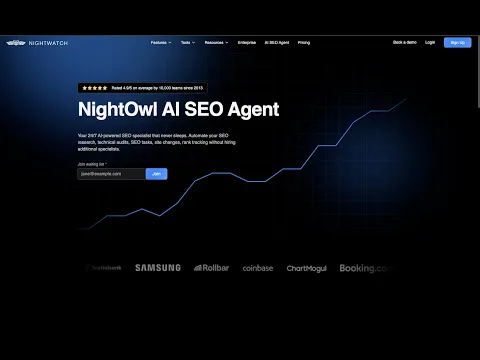
Nightwatch is the first of the ai visibility tools for small business on this list that clears my three gates without a workaround. Starter is published at EUR 79. I get all five LLMs, unlimited seats, and a 14-day full trial with no credit card. Setup is something I can finish in a sitting. For a one-person team hunting an affordable ai visibility tool, I treated Starter as a real candidate rather than a footnote.
EUR 79 Starter, all five LLMs, and the 14-day trial
Starter is listed at EUR 79, and the prices I saw were published in EUR, not USD. I score the under-$100 gate on that published figure after I convert. Inclusions are 50 AI prompts, 1,500 AI answers a month, all five LLMs, and five sites. The 14-day trial does not ask for a credit card.
Fifty prompts is a tight list; 1,500 answers is the cap I watch so I do not burn the month on overlapping queries. All five LLMs on the entry plan is the line I circled: I do not have to upgrade to see a second engine. Five sites is more than I need for one brand. I ran the trial with one site and a prompt list I already use in my weekly citation pass. I could walk away at day 14 with no card on file.
Unlimited seats and daily scans without an analyst
Unlimited seats on Starter is unused capacity for me; a contractor can join without a seat wall. Scans run daily. Collection is simulated query sampling, not a live logged-in session I have to babysit. The metrics I open are AI Visibility, share of voice, citation intelligence, and sentiment. I can read those without a dedicated analyst. The dual cap is the operational constraint: 50 AI prompts and 1,500 AI answers a month. If I reuse prompts carelessly I burn answers.
I keep a fixed prompt list and let the daily scan fill the sheet. That is the no-analyst workflow I wanted when I wrote my three gates. I do not wait on a strategist to interpret citation intelligence. I export, I mark missing citations, I brief the next piece of content. Daily cadence is what makes that loop possible on a one-person calendar. I check both caps on Monday.
9. Cognizo

When I ran Cognizo against my three gates, Growth at $499 sat well above the under-$100 cut I use for a one-person marketing team.
I still logged it because the platform bundles prompt tracking with a content agent that can auto-publish, and because seats are unlimited. For a solo operator who is not yet ready to let an agent ship pages without a human review, that auto-publish path is more than I need this week.
Growth at $499 and auto-publishing I may not need yet
Growth is published at $499 per month. That plan includes 8 articles per month from the content agent, 150 prompts, 22,500 responses, five platforms I choose, MCP and API access, and unlimited seats. That volume fits a brand that already knows its prompt set. It is not an under-$100 install.
A free trial is not documented on the pages I reviewed, so I cannot measure time to first tracked prompt the way I did on tools with a published 7-day or 14-day window.
I would leave auto-publishing off until I have a review step I trust. Growth can generate and publish eight articles a month; I still want a human on the draft. Unlimited seats help if a contractor joins later. Five platforms is a workable engine spread, and I pick which five; I do not get every model on day one. MCP and API ship with the plan. I would consider $499 only after a cheaper tracker is already producing a weekly citation log I can act on.
10. Peec AI
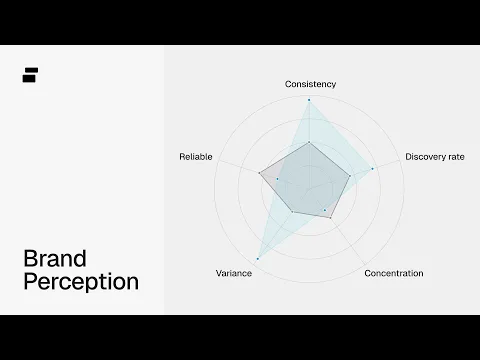
Peec AI is the one I would actually trial on an under-$100 budget. Starter is published at $95, users are unlimited, and MCP ships on every tier.
The trade-off is a three-model cap until Enterprise, plus one project and one country on Starter. Daily tracking is the cadence I want for citation work, so this sits inside my SMB filter even before I open the dashboard. I treat it as a tracker first, not a content factory.
Starter at $95 among ai visibility tools for small business
Starter is published at $95 per month. I get 50 prompts, 4,500 answers per month, three selectable models, one project, one country, and unlimited users. Those numbers clear my three gates: published entry under $100, seats are not a bottleneck, and a non-analyst can own the prompt list.
The trial does not require a credit card. Its length is not published on the pages I reviewed, so I would start the clock myself and time first tracked prompt in a single sitting. Three selectable models is the cap until Enterprise; I pick which three rather than getting every engine on day one. One project and one country keep the workspace small, which is fine for a single brand. Fifty prompts is enough for a weekly citation-and-gap pass if I rotate the set. I would install Starter this week if I were choosing among ai visibility tools for small business on price and seats alone.
Daily tracking, MCP, and unlimited users
Peec scrapes the UI on a daily cadence, which is the rhythm I already use for citation tracking. The dashboard reports Visibility, Share of Voice, and sentiment, the three metrics I export into my weekly notes. Share of Voice is the column I sort first. I can read those three without a dedicated analyst.
MCP is not an add-on here: 92 MCP tools ship on every tier, including Starter. That is the integration path I would use before I ever touch a REST API. REST API is documented on Enterprise only, so a $95 workspace does not get it.
From server logs I can see 40+ bots. That helps me spot crawlers; it does not replace prompt tracking. Unlimited users means I can share the board with a freelancer without buying a seat. I would keep the prompt list at 50 and rotate weekly so the 4,500-answer cap lasts the month. I treat sentiment as a flag I check, not a score I chase.
11. Conductor

Conductor publishes no monthly list price, so I cannot score it among ai visibility tools for small business on the under-$100 gate. AI Search Credits are metered, and every call-to-action I found routes to a trial or a demo.
Nine engines via APIs is a wide net, but without a published entry price I cannot run my first filter. I logged it for completeness, then moved on to tools that print a number I can put next to my card limit.
No published monthly price and credit metering
On the pages I reviewed, Conductor does not publish a monthly list price. Essentials includes no AI Search Credits. Growth includes 2,500 credits per year. I cannot convert that annual credit pool into a monthly dollar figure from public pages, so I cannot pass or fail the under-$100 gate with a number.
Nine engines are available via APIs. That is a wide engine set relative to the three-model or five-engine caps I saw on cheaper plans. Credits are the meter, not a prompt-count I can map 1:1 without their packaging. I would need a demo to learn what one credit buys, and I did not assign a dollar equivalent.
The trial page states both 3 weeks and 30 days. I am recording that as two durations on the same public trial page, not as a resolved number. Until a monthly price is published, Conductor stays off my install-this-week shortlist. A solo operator who needs a card-limit number will have to request a quote or start the trial to see the meter.
12. LLMrefs
I treat LLMrefs as the simplest under-$100 install I tested among ai visibility tools for small business: one published plan, every listed engine, no add-on maze. The All in One tier sits at $79 a month. Refresh is weekly, not daily, and there is no MCP. I logged price first, then the engine list. For a one-person shop that wants eleven engines without a quote call or a credit pack, that combination is the whole pitch I evaluated before I opened the dashboard and started logging prompts.
One $79 plan covering eleven engines
When I opened the pricing page I found a single All in One plan at $79 a month. That tier lists 500 prompts, all eleven engines, a weekly refresh, 50-plus countries, and unlimited seats, projects, and domains. CSV export and an API sit on the same SKU. I did not have to compare a Starter against a Pro to learn which engines I would actually get. I paid one number and received the full engine list on day one.
I ran it the way I run every other tracker: I logged the prompt cap first, then the engine list, then whether a second teammate would cost extra. Unlimited seats and unlimited domains meant I could add a contractor without a seat upgrade. Unlimited projects meant I could park a second brand next to the first without buying another workspace. The 500-prompt pool is the hard limit I watched. Weekly refresh is the cadence I accepted for eleven engines at this price.
Weekly cadence and what I still check manually
On the dashboard I work from two published metrics: AI Visibility Score and Share of Voice. I did not find a sentiment metric in the interface I used. There is no MCP, so I cannot pipe results into an editor the way I can on trackers that include MCP on every tier. The API documentation page I opened was empty as of my review, which is why I treated CSV export as the path I could actually run myself.
Cadence is weekly, so I still check daily citation movement by hand on the prompts that matter that week. I start with the free account, then the 7-day trial, and I use those days to confirm the eleven-engine list against the prompts I already track. Sentiment I still score myself, because the product does not offer that metric. I also re-run a handful of money prompts myself between weekly refreshes, so I am not waiting seven days to see a citation drop.
How I would start with ai visibility tools for small business
After the trials, I would not install twelve dashboards. I would start with published under-$100 tiers I can run without an analyst, then step up only when prompt volume or engine coverage actually breaks. Structured facts still do more work than a second subscription. I keep week one as a field test. That is how I now pick ai visibility tools for small business: one tracker I will actually open, plus pages whose dates, places, and offers an answer engine can parse.
The affordable ai visibility tool shortlist I would install this week
The published entry tiers I would trial first are LLMrefs at $79, Nightwatch at EUR 79, Peec AI at $95, Rankability at $99, and Search Atlas at $99. Each one clears the under-$100 gate with a price I can read on the site, and each one I can set up without an analyst. If I am installing one affordable ai visibility tool this week, I start with that set and keep a single dashboard after the trial window.
LLMrefs is the eleven-engine, one-SKU option. Nightwatch publishes in EUR, includes all five LLMs, unlimited seats, and a 14-day trial with no credit card. Peec AI tracks daily, includes MCP, and allows unlimited users with a three-model cap. Rankability gives me unlimited seats and a 7-day monthly trial. Search Atlas is also $99 with a 7-day trial; I go in knowing it includes one seat and three engines, with Perplexity and Copilot on Pro. I trial them in the same week so prompt lists stay comparable.
When I would step up from the under-$100 stack
I would step up from the under-$100 stack when the prompt cap binds, when I need engines the entry tier gates, or when I need a second seat that the $99 plan does not include. I would not step up to add a second dashboard that repeats Share of Voice. I step up when weekly refresh is too slow for a launch week, or when 50 prompts cannot cover the cluster I actually sell.
ATV Big Air Tour uses ChatGPT to audit whether event dates, locations, and ticket details are clearly structured for AI-powered search tools and assistants. The same write-up reports OpenAI search and user-bot hits increased from 183 to 2,421 across consecutive 30-day periods. I read that as a reminder to structure dates, locations, and offers before I add another tracker. One tracker plus structured event facts is the stack I would ship this week. I would rather keep one dashboard I open than pay for three I ignore.
Quick comparison
| Tool | Entry price (USD/mo) | Free trial | AI engines covered (#) | Core metrics tracked (#) | API | MCP server |
|---|---|---|---|---|---|---|
| SE Ranking | $129 | Y | 5 | 4 | Y | Y |
| seoClarity | $2,500 | Y | 9 | 3 | Y | Y |
| Rankability | $99 | Y | 8 | 2 | Y | Y |
| Ahrefs | $29 | N | 7 | 3 | Y | Y |
| Search Atlas | $99 | Y | 5 | 5 | Y | Y |
| Goodie AI | $399 | Y | 12 | 5 | Y | Y |
| Surfer SEO | $49 | Y | 5 | 4 | Y | Y |
| Nightwatch | EUR 79 | Y | 5 | 5 | Y | Y |
| Cognizo | $499 | N/A | 10 | 6 | Y | Y |
| Peec AI | $95 | Y | 13 | 4 | Y | Y |
| Conductor | Not published | Y | 9 | 4 | Y | Y |
| LLMrefs | $79 | Y | 11 | 2 | Y | N |
Frequently asked
I look at entry plans that cap prompts, engines, and seats. In my audits, that budget usually buys weekly or monthly checks across ChatGPT, Perplexity, and Google AI Overviews for a handful of prompts, enough to see if you appear, not daily multi-market tracking. I convert annual quotes to a monthly figure before I compare.
When I onboard a shop without an SEO analyst, I budget one afternoon: connect the domain, paste 15–25 buyer prompts, pick the engines that actually send them traffic, and run the first snapshot. Connecting Google Search Console, if the tool supports it, adds maybe twenty minutes. Citation exports and competitor lists can wait until week two.
I start every client on Google Search Console first. Google now publishes dedicated reports for generative-AI features, including AI Overviews and AI Mode, with impressions, pages, countries, devices, and trends. That is free Google-only data. I buy a tool only when I also need ChatGPT, Perplexity, Gemini, Copilot, or Grok citations the Console does not show.
I start small businesses on 15 to 25 prompts: the five money queries they already rank for in classic search, ten how-to or comparison questions buyers actually type into ChatGPT, and a few branded plus competitor-name variants. That set is small enough to read every answer weekly. I add prompts only after I see which engines cite us.
I leave an under-$100 plan when I am hitting the prompt cap every week, when I need daily refreshes instead of weekly snapshots, or when I must cover more than two or three engines for the same queries. Another trigger: I am exporting citations by hand because the plan does not include competitor tracking I now use in client reports.
I do not need MCP or API access for a typical small-business audit. I paste prompts, read the cited URLs, and fix the pages. I only ask for an API or MCP connector when I am piping mention data into a warehouse, a Slack alert, or a custom dashboard. Until that workflow exists, the extra integration is unused cost.
