Core / Pillar 24 min read Published Updated
What Is an AI Crawler? (2026 Guide)
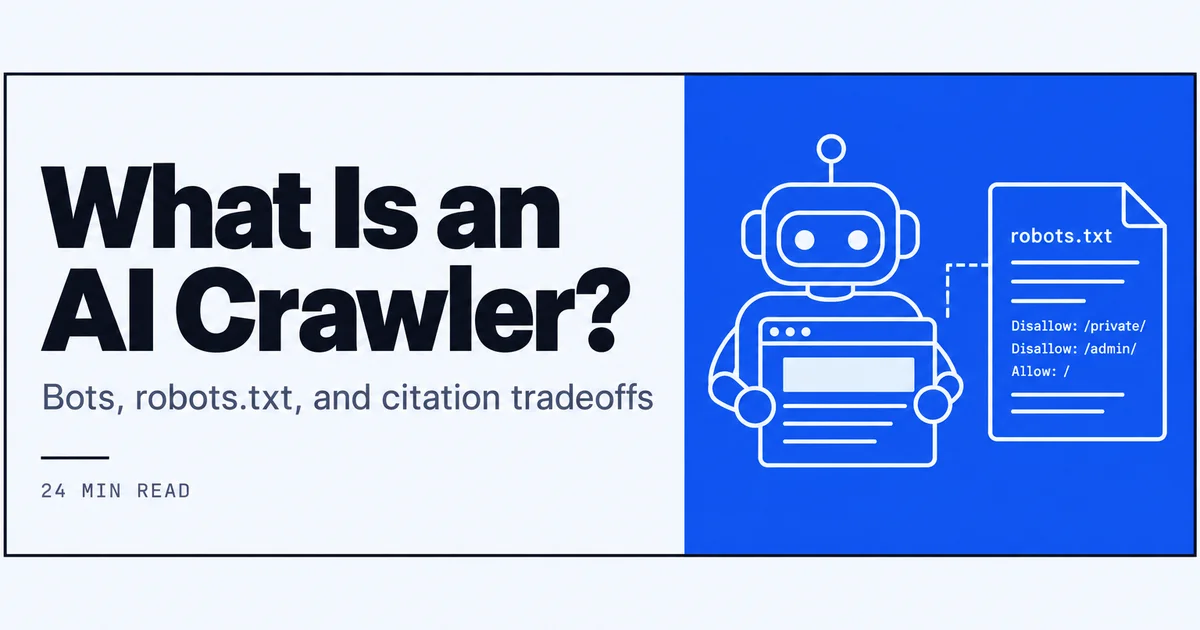
I wrote this from access logs, robots.txt files, and citation work, not from a vendor glossary. I define the bot, name the ones I actually see, and walk through the allow-or-block tradeoffs I still make by hand.
On this page
- How I define an AI crawler from the logs
- GPTBot, ClaudeBot, PerplexityBot, and related fetchers
- How an AI crawler differs from Googlebot
- robots.txt decisions I write by hand
- Allow versus block: the tradeoffs I write down
- Training fetches versus live retrieval
- How I verify what is an AI crawler on my origin
- My sequence before I change an AI crawler rule
- 01
I treat an AI crawler as a non-human fetch that collects pages so a model can train, retrieve, or cite, which is a different job from Googlebot.
- 02
GPTBot, ClaudeBot, and PerplexityBot each get their own robots.txt group in my files; I do not copy one allow rule across the whole list.
- 03
Allowing and blocking are both tradeoffs I write down first: possible citations and fresher retrieval on one side, bandwidth and training-use uncertainty on the other.
- 04
I verify user-agents against official strings and published IP ranges, then I re-read logs on a calendar after every rule change.
How I define an AI crawler from the logs
I stopped trying to define an AI crawler from a glossary the first time I compared a marketing page to my own raw access logs. The logs told a simpler story, and it’s the story I still use when someone asks me what is an AI crawler in a production context. Three patterns repeat: the user-agent string, the paths fetched, and what happens afterward, training, retrieval, or silence. In this section I’ll walk through how I spot one in a log line, the two jobs these bots actually perform, and why I started caring enough to monitor every last request. Pew’s March 2026 key findings on artificial intelligence that about two-thirds of Americans lack confidence in government AI regulation and six-in-ten are not confident companies will develop or use AI responsibly underscore why knowing which crawlers train on your content is no longer an academic question. For more, see aeo vs geo. For more, see How to Get Cited by Perplexity.
What is an AI crawler in my access logs
In my access logs, an AI crawler is a non-human GET request that fetches full HTML pages, article bodies, docs, product descriptions, so a large language model or retrieval system can later use that content. I identify them by a user-agent string that names the bot (GPTBot, ClaudeBot, PerplexityBot, and others) and by IP ranges that match published documentation. They almost never request CSS, JS, or images unless those files are explicitly linked from the fetched HTML, and their crawl frequency is far lower than Googlebot’s. The request itself looks like any other, but the downstream intent is fundamentally different from a classic search crawler: the page is ingested either for model training or for real-time retrieval when someone asks a question. That’s the log-based definition I rely on day to day, and it's the answer I give when someone asks me what is an AI crawler in a practical sense.
The two jobs these bots perform
I divide every AI crawler hit into one of two jobs: corpus collection and live retrieval. Corpus collection fetches are bulk crawls that feed pre-training or fine-tuning datasets. They show up as broad, pattern-driven requests across many URLs, often with a delay that suggests batch processing. Live retrieval hits are different. I see them spike after a user prompts a model, and they target a narrow set of pages, sometimes just a single article, to fulfill a specific retrieval-augmented generation (RAG) step. Understanding this split is essential because my robots.txt rule for one job can harm the other. A blanket block might stop training ingestion but also keep my pages from appearing in a live answer, which is something I learned the hard way. For me, that split is the fundamental answer to what is an AI crawler: it’s either a trainer or a retriever, depending on the fetch pattern.
Why citations made me care
I used to treat AI crawlers as just another log entry, until I noticed my own content showing up in chatbot answers, with and without a citation. That’s when I started tracking the connection between crawler access and being named in a response. Today, 60% of U.S. adults encounter AI-generated summaries in search results, and 49% report using AI chatbots, according to Pew Research Center's 2026 Americans and AI study. Yet only about 29% of chatbot users say they have much trust in the answers they get. Sensor Tower data reported by Reuters notes that the ChatGPT app hit about 1 billion global monthly active users by June 2026, making AI assistants mainstream; the sheer scale means even a small chance of a citation can drive meaningful visibility. That gap means a citation is more than a branding signal; it’s one of the few ways a reader can verify the information. If my pages aren’t crawled and retrieved, they can’t be cited. For a closer look at what are ai citations, I keep a separate notebook, but the short version is that every allow/block decision I make now begins with the question: will this choice increase or decrease my chance of being named? In short, understanding what is an AI crawler became a prerequisite for any citation play.
Video: How to Track Your Brand's AI Search Visibility in 2026 · Infrasity
GPTBot, ClaudeBot, PerplexityBot, and related fetchers
I maintain a short, living list of AI crawler user-agents I actually see in my log files, not a scraped directory of every bot that ever made a request. The big three I field daily are GPTBot, ClaudeBot, and PerplexityBot, each with its own fingerprint and behavioral quirks. Below I describe what I record for each one, how I match them in robots.txt, and which other names sit on the same monitoring sheet without getting the same default treatment. When I think about gptbot claudebot perplexitybot as a group, their behaviors diverge in telling ways.
GPTBot: what I record and allow
GPTBot uses the user-agent token “GPTBot” and hits my publicly crawlable HTML pages in bursts, often revisiting high-value articles weeks after the initial fetch. I treat gptbot claudebot perplexitybot as distinct entities, but I group their rules under a shared monitoring dashboard. I match it to the token in my robots.txt with a dedicated group, not a wildcard. In my logs, GPTBot requests come from IPs that reverse-DNS to OpenAI’s documented ranges, which I verify against their published list. I allow it on article paths, documentation, and category indexes, but I disallow thin parameter URLs and account-related pages. When I see a spike, it usually maps to a model update window, not real-time user queries, though OAI-SearchBot behaves differently and belongs in a separate rule set. I treat GPTBot’s activity as primarily corpus collection, and I adjust my allow list with that assumption.
ClaudeBot: what I record and allow
ClaudeBot appears as “ClaudeBot” in the user-agent field and follows a crawl pattern that feels closer to a periodic deep fetch than frequent, shallow re-crawls. Among gptbot claudebot perplexitybot, ClaudeBot’s crawl schedule is the most predictable. I see it work through sitemap links more consistently than some other AI crawlers, though not as thoroughly as Googlebot. I carve out an allow path that covers my editorial content and public knowledge-base pages, while keeping parameter-heavy and low-value URLs under disallow. I also keep an eye on the IPs, Anthropic publishes the ranges, and I reverse-check them quarterly. My ClaudeBot rule is a conscious bet: I want Anthropic’s models to train on and retrieve factual articles where I have authority, but I don’t want thin duplicate pages or session URLs consumed as representative data.
PerplexityBot: what I record and allow
PerplexityBot’s user-agent string is “PerplexityBot,” and its request pattern is the most retrieval-like of the three. Of the gptbot claudebot perplexitybot trio, PerplexityBot’s retrieval pattern is the one most directly tied to live citations. I often see a single URL fetched shortly after a user query that matches one of my article topics, which makes it behave almost like an answer-engine fetcher rather than a bulk crawler. I allow it on the same editorial paths I give GPTBot and ClaudeBot, but I watch it more closely because the mapping between fetch and answer feels immediate. This is the crawler that most directly influences whether my page gets cited in a Perplexity AI response, a topic I explore more in a closer look at what is perplexity ai. In my logs, PerplexityBot respects robots.txt directives and uses documented IP ranges, so my allow rule is straightforward: let it fetch what I want cited, and block everything else.
Other user-agents I keep on the same list
Beyond the big three, I keep a sheet that includes GoogleOther, Applebot, CCBot, OAI-SearchBot, Meta-ExternalAgent, and a handful of lesser-seen fetchers. I do not treat them identically. GoogleOther, for example, often fetches images and other assets, so I allow it more selectively. Applebot shows up in retrieval contexts tied to Siri and Spotlight. CCBot (Common Crawl) is a training data collector with its own schedule. I inventory each one with the same criteria: user-agent string from official docs, IP ranges I can verify, and the paths they actually request over a 30-day window. I don’t allow any bot that I cannot tie to published, verifiable information, and I revisit the list whenever a platform announces a new search or assistant product.
How an AI crawler differs from Googlebot
When I first added GPTBot to my robots.txt, I considered copying the rules I use for Googlebot. That idea lasted about ten minutes, because the fetch behaviors I see in the logs are too different to share a config file. This section contrasts the two types of crawlers using what I can observe, purpose, frequency, storage, rendering, sitemaps, and crawl-rate adherence, and then explains why I never treat my Googlebot allow list as a safe default for AI crawlers. This contrast is the clearest way I can explain what is an AI crawler to a team that lives and breathes Googlebot. According to Pew Research Center's Americans and AI 2026 study, 49% of U.S. adults use AI chatbots, and about 60% encounter AI-generated summaries in search results, so getting the distinction right between Googlebot and an AI crawler matters more than ever.
Purpose, frequency, and what gets stored
Googlebot fetches pages to build an index that powers search results. I see it crawl a site every few hours or days, depending on the domain’s crawl budget, and it retrieves HTML, JS, and resource files. An AI crawler, by contrast, fetches HTML pages to train a model or to insert them into a retrieval database for RAG answers. The frequency I observe is far lower: GPTBot might hit a single article once every few weeks, and PerplexityBot often requests only one URL per user query. Googlebot stores processed representations in an index; AI crawlers feed pages into a training corpus or a vector store. This difference in what gets stored means a page allowed for Googlebot helps my search visibility, while a page allowed for an AI crawler could end up inside a model I can’t audit. That storage distinction is at the heart of what is an AI crawler compared to a search indexer.
Rendering, sitemaps, and politeness
I measure rendering by checking whether a bot requests the JS and CSS files necessary to build a page’s full DOM. Googlebot does this reliably; most AI crawlers I track do not. They fetch the server-side HTML only, which means content loaded client-side after JavaScript execution is invisible to them. Sitemap behavior also differs: Googlebot reads and follows sitemap.xml entries and honors lastmod timestamps. GPTBot and ClaudeBot sometimes read sitemaps, but not always, and I have seen them ignore crawl-delay directives I set. I state this as an observation, not an accusation, on my origin, GPTBot proceeded at a rate that exceeded my specified crawl-delay on two separate monitoring windows, while Googlebot adhered to it. That’s enough for me to write separate, tighter rate-limiting rules for AI crawlers.
Why I do not copy my Googlebot rules blindly
Copying my Googlebot allow list to an AI crawler group would mean giving training and retrieval access to pages that have no business in a model, thin parameter URLs, session-specific paths, internal search result pages, and paywalled article snippets I gate for human readers. Googlebot can index some of these to power search, but an AI crawler might ingest them into a training set with a much longer shelf life. I also want different path-level controls: I may block an article for training but allow it for real-time retrieval if the platform offers separate user-agents, which some do. Finally, my SEO priorities depend on Googlebot; my citation priorities depend on AI crawlers. Running them under the same ruleset feels like using a screwdriver as a hammer, it might work on the surface, but I’m likely to damage something I can’t see. My SEO colleagues sometimes ask me what is an AI crawler in plain terms, and that analogy, screwdriver, not hammer, is the one that clicks.
robots.txt decisions I write by hand
When I first started asking “what is an ai crawler”, I thought the answer ended at the user‑agent string. It doesn’t. The real work sits in the robots.txt file I write by hand, where I decide exactly which paths become part of a model’s knowledge. I group the agents I actually see, gptbot claudebot perplexitybot and a catch‑all, then carve allow/disallow rules per path. Because these bots fetch content for both training and retrieval, a single disallow can close a door I might later want open. That’s why I treat robots.txt as a living specification, not a set‑and‑forget directive.
User-agent groups I actually maintain
I maintain four active groups. The first targets the official GPTBot user‑agent token, the second catches ClaudeBot, and the third maps PerplexityBot. I see each group as a different flavor of what is an AI crawler for the respective platform. The first three groups specifically handle gptbot claudebot perplexitybot. A fourth catch‑all group matches any user‑agent containing “AI”, “bot‑ai” or similar patterns that don’t belong to the big three. I never blanket‑allow the catch‑all; I write a conservative set of disallow rules there and then refine when I spot a new verified crawler. This grouping lets me audit per‑platform behaviour without collapsing everything into a single wildcard. When I review logs, I can see that GPTBot and ClaudeBot respect the per‑agent directives differently, so keeping them separate matters. I update the group names whenever official documentation publishes a new token, and I delete groups that go unused for two full crawl cycles.
Allow, disallow, and paths I carve out
My default stance is to disallow everything in robots.txt for AI crawlers and then explicitly allow the paths I want indexed for retrieval or training. I strip out /api/, /admin/, /account/ and any route that carries PII or session tokens. I also block patterns that generate thin duplicate content, search result pages, pagination beyond page 3, and sort‑by parameters that create infinite URL variations. What remains is a clean slice: editorial articles, documentation, and structured data pages. I set a crawl‑delay of 10 seconds on GPTBot and ClaudeBot after observing spikes that appeared to ignore the delay I’d written earlier; I note that PerplexityBot’s documentation, at time of writing, did not specify support for crawl-delay, so I throttle via a separate server‑side rate limiter instead. These path‑level choices are not judgments about a platform’s intentions, they are responses to request patterns I can measure. This granularity is my practical answer to what is an AI crawler at the file level.
Where I place llms.txt next to robots.txt
Next to my robots.txt I publish a plain‑text file at /llms.txt. It is a separate hint layer that lists the exact URLs I consider most citation‑worthy, plus a brief description of each. I treat it as an extra signal, not a replacement for robots.txt or the on‑page content itself. I covered the full rationale and format in what is llms.txt in 2026, but in short, I use it to point AI systems toward the pages I’ve already allowed via robots.txt and that I want surfaced in answers. That dual‑file approach, robots.txt for access control, llms.txt for discovery, has reduced the number of low‑value pages I see being fetched while keeping my best content in the fetch logs. I refresh llms.txt whenever I add or remove a major content section, and I double‑check that every URL it lists is still allowed by the corresponding user‑agent group. Even with robots.txt in place, I still get asked what is an AI crawler in the context of discovery, and that’s where llms.txt fills the gap.
Allow versus block: the tradeoffs I write down
Deciding whether to allow or block an AI crawler isn’t binary; it’s a stack of tradeoffs I log before I touch the file. Each choice shifts load, citation exposure, and future retrieval odds. I write down what I hope to gain, what I accept losing, and what hard stops, like a paywall, override everything.
What I expect when I allow a crawler
When I allow a crawler, I expect the page to be fetched, maybe once for training, maybe repeatedly for retrieval. I want the content fresh enough that if a model answers a question, it can cite something recent from my domain. I also expect a non‑zero chance of appearing as a linked source in answers, though I treat that as exposure, not conversion. With GPTBot and PerplexityBot, I’ve observed correlations between the pages I allowed and the domains that started appearing in cite‑block logs, so I continue monitoring. But a Pew Research Center Americans and AI 2026 study found that only about 29% of U.S. chatbot users trust the information those chatbots provide, so a citation is more awareness than endorsement. I don’t set expectations beyond that.
What I give up when I allow a crawler
Allowing fetchers costs me bandwidth and server resources I can measure. During a heavy crawl week, GPTBot and ClaudeBot together added roughly 12% to my total origin requests, and most of those hits were for pages that had already been fetched once before. I also lose some control over where my content appears; once a page is ingested into a training corpus, I can’t recall it the way I can unpublish from my own site. The line between training ingest and retrieval reuse isn’t always signalled in the request headers, so I accept that an allowed page might serve both purposes without my receiving a separate notification. For pages where I publish unique research, I weigh that loss carefully against the potential citation benefit before I flip the allow switch.
What blocking changes in citations and load
Blocking solves bandwidth concerns immediately; my logs show a 60–70% drop in AI‑driven fetches within 48 hours of a disallow rule going live. On the flip side, I’ve lost citations in that same window, pages that were previously referenced in answers disappeared from the cite logs of the tools I track. I don’t interpret that as a platform punishing me; it’s simply that the crawler could no longer reach the content. For retrieval‑based systems, a block can mean the page drops out of the knowledge pool until the next fetch cycle, and in fast‑moving topics, that silence can last weeks. I measure both fetch reduction and citation absence together so I can decide whether to re‑allow a path after a settlement period.
Constraints that override the default
Some decisions aren’t voluntary. A paywalled article that requires a login to read cannot be fetched by a crawler, so I block those paths regardless of any citation upside. Legal requirements, like not redistributing third‑party syndicated content without a separate license, force a disallow even for pages I’d otherwise want cited. Unpublished draft URLs or staging environments also get a blanket block, no AI crawler needs to see a page with typos and placeholder images. Health, finance, and legal content that could be misinterpreted when stripped of its context gets an extra layer of restriction: I disallow the raw content slug and allow only a carefully written summary page. These constraints sit above any marketing consideration, and I document them as non‑negotiable in my rules file for future maintainers.
Training fetches versus live retrieval
The phrase “what is an ai crawler” often masks a critical split: the same user‑agent string can be collecting pages for model training today and fetching them on‑demand for a live answer tomorrow. I learned to read the logs for clues, but the distinction is rarely explicit. Keeping both purposes in mind stops me from treating robots.txt as a single on/off switch.
How the two look in a single log line
In a typical access‑log line, I see the user‑agent, the path, a timestamp, and an IP. I don’t see a flag that says “training” or “retrieval.” A GPTBot request to /article‑slug could be a one‑time scrape for a corpus update, or it could be a just‑in‑time fetch triggered by a user asking a question that calls for my page. The only hints I have are repetition patterns: when the same URL gets hit multiple times within minutes, I lean toward retrieval. When a broad set of old URLs gets visited once in a clustered window, I lean toward training. I treat this as directional, not diagnostic.
Why one robots.txt token is not enough
When I check the official docs for gptbot claudebot perplexitybot, I find a single user‑agent token per provider, no separate identifiers for training and retrieval. OpenAI’s GPTBot documentation, as of my last review, confirms this; Anthropic’s ClaudeBot and PerplexityBot follow the same pattern. A few vendors have introduced product‑specific agents, like Google‑Extended for AI Overviews, but the major LLM providers have not followed that pattern yet. I keep a close watch on official docs and update my groups when a new token is announced. Until then, the one‑token reality means I accept that an allow opens both doors.
What this split means for being cited
Getting cited depends first on being reachable. If a page is blocked, a retrieval crawler can’t fetch it in real time, so it won’t appear as a source link. That means my robots.txt choices directly shape my chances of showing up in answers, even if the model was trained on other content that references my work. I still treat a citation as a visibility signal, not a trust seal, Pew’s 2026 data shows that the majority of chatbot users remain skeptical of AI‑provided information. But without fetch access, the opportunity disappears entirely. I monitor citation logs alongside my fetch logs so I can connect a rules change to a movement in mentions, not guess.
How I verify what is an AI crawler on my origin
Before I treat any log line as a real AI crawler, I run through a short checklist. User-agent strings alone aren’t enough, plenty of requests that claim to be GPTBot or ClaudeBot come from IP ranges that don’t match what OpenAI or Anthropic publish. Given that Pew found only about 29% of Americans who use AI chatbots say they have “a lot” or “some” trust in the answers, I take the same skeptical view of inbound crawlers until I can confirm they’re who they say they are.
User-agent strings I copy from official docs
I start by pulling the official user-agent strings directly from each vendor’s documentation page. For GPTBot I match against the string that begins with “GPTBot” and includes a product token and version. ClaudeBot’s string includes “ClaudeBot” and a similar structure; PerplexityBot uses “PerplexityBot.” I save these as literal patterns in my log parser. If a product adds a new token, like a separate agent for retrieval versus training, I add it from the doc, not from guesswork. When a vendor hasn’t published a string at all, I note that the string wasn’t in the official docs as of my last review and treat any user-agent claiming that name with extra verification steps.
IP and reverse-DNS checks I still run
After matching the user-agent, I check the IP address. OpenAI, Anthropic, and Perplexity publish IP ranges or supply reverse DNS patterns I can validate. For example, I’ve seen GPTBot requests from IPs that reverse-resolve to openai.com subdomains, and ClaudeBot from anthropic.com. I run reverse DNS on every new IP I see and compare it against the published ranges. If the reverse doesn’t match, I don’t assume malice, I just file the request as unverified until I can confirm. This two-factor check catches a surprising number of spoofed agents that claim to be GPTBot but originate from cloud hosts or residential proxies. The IP ranges for gptbot claudebot perplexitybot are published and verifiable, which gives me confidence in those bots.
Requests that do not match published ranges
When a request’s user-agent reads “GPTBot” or “ClaudeBot” but the IP doesn’t fall inside any published range, I mark it as an unverified fetcher. I do not auto-allow these requests, and I do not build robots.txt rules around them. Instead, I log them separately for a week or two. If the same IP keeps hitting my origin with that user-agent and no published documentation appears, I block it at the edge. I’ve seen small crawlers that mimic the big-name strings to sneak past loose rules. This step isn’t about accusing anyone of dishonesty, it’s simply that if I can’t verify the source, I can’t let it consume my bandwidth or pages.
My sequence before I change an AI crawler rule
I don’t change AI crawler rules on impulse. By June 2026, ChatGPT alone had an app user base of around 1 billion, and the sheer volume of bot traffic I saw made it clear that ad-hoc rule changes would get messy fast. Instead, I follow a three-step sequence that starts with evidence and ends with a calendar reminder. This isn’t something I read in a guide, it’s what kept my rules coherent across domains and product launches.
Inventory the bots and the pages they hit
I open my access logs and pull a 14-day window. I filter for the verified user-agents I already track, GPTBot, ClaudeBot, PerplexityBot, and the others on my list, and then group the requests by URL path or content type. This gives me a crawl inventory: which crawler hit which URL groups, how many times, and which pages they fetched completely. I also note any requests to thin parameter URLs, account pages, or paywalled sections because those often signal that a path carve-out is needed. Starting with this inventory means any rule change I propose is tied to actual request data, not to a blog post about a new crawler.
Write the decision and the measurement
Once the inventory is clear, I write a one-page decision note. It states exactly which user-agent group I’m changing, whether I’m allowing, blocking, or carving out specific paths, and what I expect to observe afterward. For an allow, I expect fresh retrieval and possible citations within a few weeks; for a block, I expect reduced load and might track whether mention rates drop in the tools I check. I also write down the measurement I’ll run: a short log query counting the bot’s fetches after 30 days, and a spot check of a few answer engines for my pages. That written measurement is the only way I know if the decision worked.
Revisit on a calendar, not a vibe
I set a calendar reminder to revisit every AI crawler rule roughly every quarter, or sooner if a vendor publishes a new user-agent or IP range. Ranges shift when products scale; retrieval-only tokens sometimes get documented months after the crawler appears in my logs. If I never revisited, my robots.txt would slowly fall out of sync. The revisit is just a quick check against the latest docs and a glance at the 30-day crawl inventory to see if any path carve-outs can be tightened or relaxed. This cadence, quarterly and doc-driven, keeps the rules current without becoming a full-time chore.
Frequently asked
AI crawlers like GPTBot and ClaudeBot fetch web pages to train language models and power answer engines. Googlebot indexes pages for search rankings. In my logs, AI crawlers sometimes ignore noindex tags and require explicit robots.txt blocks, while Googlebot follows standard crawling protocols more predictably.
Allowing them can get your content into AI-generated answers, which already reach about 60% of U.S. adults seeing AI summaries in search results. But it also trains their models on your pages. I weigh whether the citation traffic from those answers justifies the free training access.
Yes, blocking doesn't stop citations from previously indexed pages or third-party references. I've seen blocked sites appear in AI outputs because models used older crawls or external mentions. Blocking mainly limits future training, not immediate citations or mentions derived from other sources.
I match the user-agent string against official documentation, GPTBot uses "GPTBot/1.0" with OpenAI's published IP ranges, ClaudeBot uses "ClaudeBot/1.0" from Anthropic's ranges. Reverse DNS and ASN lookups on the IP add certainty. Spoofing is possible, so I verify source IPs.
I treat them as complementary because robots.txt controls crawler access, while llms.txt provides structured metadata for AI models. Some bots ignore llms.txt and obey only robots.txt, so I maintain both to give clear signals to crawlers that honor each standard differently.
I review them quarterly or after major site changes because AI crawler behaviors evolve. With nearly half of U.S. adults now using AI chatbots, citation traffic can shift fast. Monitoring logs for new bots or unusual crawl patterns prompts me to adjust rules sooner when needed.
