Core / Pillar 27 min read Published Updated
What Are Google AI Overviews? (2026 Guide)
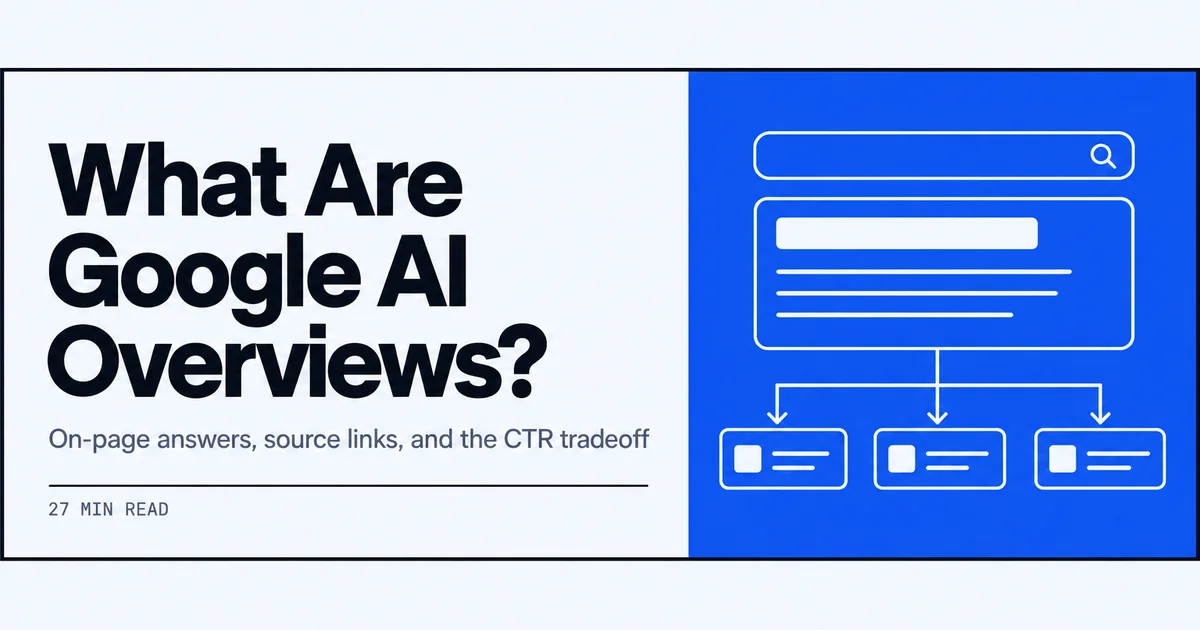
I use this as my working definition of Google AI Overviews in 2026: an on-page synthesized answer, source links, and a path into AI Mode. Below is how it actually behaves, when it triggers, and what I see happen to CTR.
On this page
- What I See When an Overview Lands on the Results Page
- Google AI Overviews Explained From the Query Side
- How AI Overviews Work Once the Query Qualifies
- Gemini 3, AI Mode, and the 2026 Search Path
- Triggers I Watch Before I Expect an Overview
- Impact on CTR When the Overview Owns the Fold
- The June 2026 Search Console Control for Website Owners
- How I Position Pages to Be Used as Sources
- What I Track Weekly So I Am Not Guessing
- 01
Google AI Overviews are Gemini-written on-page answers with source links, and they appear when Google judges a synthesized overview helpful rather than on every query.
- 02
From 2026 the default model is Gemini 3, and follow-up questions can move a user from the overview into AI Mode without leaving Search.
- 03
The June 2026 Search Console toggle controls whether a site can ground AI Overviews, AI Mode, and AI Overviews in Discover; it does not remove classic crawling or rankings.
- 04
CTR impact splits: a cited source can gain a new kind of visibility, while an uncited ranking below the overview sits further down the fold.
What I See When an Overview Lands on the Results Page
When an Overview lands, I am not looking at a blue-link list first. I am looking at a synthesized answer, source links attached to that answer, and a path that can continue into AI Mode. Google frames this as an on-page AI response for questions where that format is particularly helpful. I treat the live SERP as the definition, then I take a closer look at what is ai search as the wider surface this sits inside. For more, see What Is ChatGPT Search. For more, see How to Rank in Gemini.
The synthesized answer that sits above the links
What I actually see first is a concise, Gemini-written answer. Google describes these as AI-generated answers that appear directly on the results page for questions where an AI response is particularly helpful, and the overview synthesizes information into a short block rather than pulling one sentence from a page. The text sits in a shaded container at the top of the organic results, usually with a heading like AI Overview and a few paragraphs of prose. I watch for how much of the answer is summary versus step-by-step detail, because that tells me what Google considered the core of the query. The block rarely reads like a single source; it reads like a rewrite of several pages condensed into one answer. That is the core of what are Google AI Overviews: a synthesized answer block, not an extracted quote.
Source chips and how they sit inside the overview
Inside that same overview container, Google shows source links. The phrasing I keep in mind is that Google says users like being able to get both a quick overview of a topic and links to learn more, so links sit beside the concise answer rather than replacing it. I usually see a row of chip-style citations or a small Sources line under the text, often with a favicon and domain name. The links are not clean blue-link ranking placements; they are anchors attached to statements inside the overview. When I click one, it takes me to the page Google used to support that part of the answer. That placement matters because visibility here is tied to being a source, not only to ranking below the fold. I log the domains in that chip row before I even look at the classic results.
What are Google AI Overviews compared with a featured snippet
To keep the formats separate, I think of a featured snippet as an extracted passage. Google pulls a sentence or paragraph from one result and shows it with a link, usually fairly close to the blue links. An AI Overview is different in two ways I can observe. First, it is synthesized: Gemini models combine content from multiple sources into a new, concise answer instead of reproducing one page's text. Second, it carries its own set of source chips inside the block. So a featured snippet answers with one extracted paragraph and a single link, while an AI Overview answers with a written summary and several supporting links. That distinction is why I track them as different visibility events in reporting. That is Google AI Overviews explained in contrast to snippets: multiple-source synthesis, not one extracted paragraph.

Video: The Ultimate Guide to AEO: Rank in Claude, AI Overviews & More · HubSpot Marketing
Google AI Overviews Explained From the Query Side
I treat the Overview as a query-dependent surface, not a layer on every search. Google's own language is about helpful, synthesized answers for more complex or multi-step questions. That is why I start from the query, not from a page's ranking, when I decide whether to expect one. I keep a running note of what are ai citations in 2026 so I do not confuse a chip with a classic blue link.
Multi-step questions that benefit from a short overview
The queries where I most often see an overview are the multi-step ones. Google describes AI Overviews as appearing when they can provide helpful, synthesized answers to more complex or multi-step queries. An example from my checks is a question like how to move a WordPress site to a new host without losing SEO, which implies several actions: transfer files, update DNS, preserve redirects, and re-verify in Search Console. A short overview can compress those steps into one sequence. If a query asks for comparison criteria or a process, I expect an overview more than if it asks for a single fact. That is not a guarantee; it is a pattern I log against the same queries over time. Understanding what are Google AI Overviews helps me see why multi-step questions trigger them.
When a quick overview plus links is the stated goal
Google's stated goal for these results includes both a quick overview and a path onward. The language I return to is helping people understand a topic and then continue researching with source links, so the Overview does two jobs at once: it gives an immediate answer and points to sources for deeper reading. I see this on questions like best practices for site migrations where the overview gives a short checklist, then source chips lead to longer guides. For me, this is the format where an overview feels most natural, because the query itself expects a summary plus supporting detail. The links are not an afterthought; they are part of the stated user experience. When the query itself asks for a summary, I expect both pieces on the page.
Query types where I still get a classic results page
There are plenty of searches where I still get a classic results page. Google's wording says overviews appear when an AI response is particularly helpful, not on every search. From my live checks, that tends to mean navigational lookups like a brand name or a login page, very short factual queries where a featured snippet already does the job, and local transactional searches where maps and listings are the relevant result. On those queries, the SERP mostly looks the way it did before AI Overviews: paid ads, local pack or site links, and blue links. I do not treat the absence of an overview as a problem; I treat it as a signal that the query did not meet the helpfulness threshold Google describes. That is how Google AI Overviews explained via query behavior looks in practice.
How AI Overviews Work Once the Query Qualifies
Once the query qualifies, three things happen in sequence. Gemini models write a concise overview, that text is grounded against web pages, and a follow-up can open AI Mode. I keep those steps in the same workflow as what is llm optimization in 2026, because the page has to survive synthesis, not just rank. I do not treat the model, the grounding, and the conversation as separate products. They are one path on a qualifying search.
Gemini models writing the concise overview
Google uses Gemini models to synthesize information and present it in a concise overview. On a qualifying query, I am reading generated text, not a copy of the top-ranked page. The model pulls from multiple pages and rewrites the answer so it fits the question. Because it is generated, the phrasing can change between checks even when the same source is cited, which is one reason I recheck important queries rather than assuming a static answer. The overview usually states a claim first, then supports it with detail. I watch whether the answer stays general or gets specific, because that tells me how much source material the model had to work with. I treat that rewrite as the working unit, not the original paragraph on my page.
Grounding the answer against web pages
Grounding is the step where the generated answer gets tied to web pages. Google uses site content to support the overview, and the source chips inside the block point back to those pages. In practice, I see grounding as two things at once: the model reads the content to form the answer, and the interface links outward so a user can verify or continue researching. A page can ground an overview without ranking in the classic top ten, and a page can rank without being pulled into the overview. That is why I separate source visibility from ranking visibility in reports. The link inside the overview is my evidence that the page was used, even when the answer text is rewritten. When I check what are Google AI Overviews as a grounding surface, I look for the source chips. I log the chip URL, not only the domain.
Follow-up questions that open AI Mode
The overview is the start of a conversational path, not a closed answer box. Google's January 2026 update positions AI Overviews as part of a seamless Search experience, where a follow-up question can move the session into AI Mode. In use, I can ask a first question, read the overview, then type a refinement like make that specific to a small WooCommerce site, and the interface shifts from results page to chat-style response. That transition matters for two reasons. First, it means the initial overview is the entry point for a longer conversation. Second, it means my page can be cited again in later turns if the content still supports the refined answer. I track not just the first overview, but whether follow-ups keep the brand or URL in the conversation. I log that later citation as a separate event.
Gemini 3, AI Mode, and the 2026 Search Path
In January 2026 I started treating the on-page overview and the conversational path as one product story. Google made Gemini 3 the default model behind AI Overviews worldwide and framed the format as the start of a seamless Search experience, not a closed box. On a qualifying query I now look at two things: a Gemini 3-written answer, and a follow-up path that can leave the classic results page for AI Mode. That pairing is the 2026 search path I log. I re-run those queries after the default-model change.
Gemini 3 as the default model for overviews
Google states that AI Overviews use Gemini models to synthesize information into a concise overview, and as of January 2026, Gemini 3 is the default model for those overviews globally. I read that as an explicit upgrade to the model behind the on-page answer, not a rebrand of the format. In practice, I check the same query set after a default-model change and note whether the overview copy gets more detailed or more compressed. The output still sits above the classic links, but the model writing it is now Gemini 3 for qualifying queries. I do not treat a model change as a guarantee that more keywords trigger overviews; it simply changes the synthesis quality and follow-up behavior I observe on the searches that already qualify. The fact I keep is Google's own wording from the January 2026 product post, not a rumor about ranking changes. I store that date next to the query log.
Moving from the overview into a conversation
Google's January 2026 update explicitly positions AI Overviews as part of a seamless Search experience, letting users move from a traditional results page into a conversational AI Mode via follow-up questions that start from the initial AI Overview. I watch for that transition in the UI: after the overview text, there is a follow-up prompt or a way to ask another question. Clicking or typing there opens AI Mode instead of sending me back to a classic results page. This means the overview is not a closed answer; it is the entry point to a conversation. I log which follow-ups appear, because they show what Google considers natural next turns for that query. That flow is central to Google AI Overviews explained as an entry point to AI Mode. I treat those suggested next turns as a map of how the session can leave the SERP. I write those prompts into the weekly note.
What a seamless Search experience looks like in use
For me, a seamless Search experience looks like this: I search a multi-step question, an AI Overview appears above the links, and I read the synthesized answer with source chips. If I need more, I ask a follow-up directly from that overview. The follow-up opens AI Mode, where I see a longer conversational exchange with links to learn more. At no point do I re-enter a new keyword search. The classic blue links are still reachable below, but the path Google describes is continuous from overview to conversation. I treat that click path as the new user journey, not a separate AI product bolted onto search. Monitoring that flow tells me where a page might be cited at both the overview stage and the conversational stage. Understanding what are Google AI Overviews clarifies that continuous path. I log both stages as one session. Presence at either stage goes in the log.
Triggers I Watch Before I Expect an Overview
I do not expect an overview on every search. Google's 2026 language is a benefit test: a synthesized answer appears when it is particularly helpful for the query, not as a blanket layer. Before I plan for source visibility, I classify the query. Multi-step and comparison questions sit in one bucket. Navigational, local, and transactional searches sit in another. That split is the trigger checklist I run before I assume the fold will change. I write that classification into the query log first.
Helpful synthesized answers versus every search
Google's language points to a benefit test, not a coverage map. I read the 2026 update as saying an overview appears when a synthesized answer is particularly helpful for the user, rather than on every search. In my tracking, I group queries by whether a short AI-written overview would actually reduce the work: comparisons, how-to sequences, and questions with multiple variables often get one; single-fact lookups often do not. I do not try to force a universal rate. Instead, I log the same query over time and note whether Google's trigger changed. That tells me more than a one-off check ever would. When a query that previously triggered an overview stops doing so, I re-read the wording of the question and the format of the top results. That benefit test is the practical answer to what are Google AI Overviews. I never invent a coverage percentage from those logs. A vanished overview is a trigger change, not a ranking failure.
Informational depth against navigational lookups
I separate research-style questions from navigational lookups because I rarely see an overview on brand or URL searches. If the query is informational and has room for a concise multi-step answer, an overview is more likely. If the user is trying to reach a specific site, the classic blue links still carry the intent. For example, a query like how to compare two pricing models triggers an overview far more often than a query that names a company plus login. I use that split to decide which pages I should optimize for grounding and which pages I should leave focused on traditional ranking. The same domain can need both treatments, but the query type determines the likely surface. I keep a short list of brand-plus-login queries in the same weekly set so I can see the contrast on the same day. When those stay classic, I leave title tags and sitelinks to do the navigational job.
Local, transactional, and other cases that stay classic
For local and transactional queries, I still plan for a classic results page first. Searches for a nearby service, a product price, or a booking page generally show maps, shopping units, or standard links without an AI Overview taking over the fold. I also see classic results for many navigational brand searches and for queries where a synthesized answer would add friction. My weekly checks include a small set of local and transactional terms so I do not assume that overview behavior applies uniformly. I log those as a control group against the informational set. When an overview does appear on one of these, I treat it as an exception and inspect the query wording to see what made it qualify. That keeps my optimization plans matched to the surface the user actually sees. For those, Google AI Overviews explained as a query-dependent surface still holds. I do not copy overview tactics onto those URLs.
Impact on CTR When the Overview Owns the Fold
I report CTR as a split, not a single number. When an overview owns the fold, a cited source and an uncited ranking URL are different events. I do not invent a percentage drop. I look at fold distance, whether the page is a linked source, and Search Console clicks for the same query before and after the overview appeared. That is the only way I can read a CTR move without guessing. I keep those three checks in one note.
Fold real estate and how far a ranking sits now
An expanded AI Overview pushes the first classic blue link further down the page. On desktop, the synthesized answer block, source chips, and follow-up prompts can fill most of the first viewport. On mobile, the shift is even more pronounced because less vertical space is available. I measure that as extra scroll, not as a fixed pixel value, since device and query layout vary. When an overview is present for a term where my page ranks position one, I see a longer gap between the query and the clickable result. That extra distance matters for pages that are not cited as sources, because they now compete with a finished answer before the user ever reaches the link. I log whether a page appears inside the overview or only below it before I interpret any CTR change. When I measure that distance, I am looking at what are Google AI Overviews in terms of fold impact. I screenshot both viewports for the log. Desktop and mobile go in separate rows.
Cited sources versus pages that only rank below
I keep two visibility categories separate. A cited source is a URL that appears as a linked chip or link inside the overview; an uncited ranking is a page that ranks in the classic results but never appears as a source. For the same query, those can be different URLs. I have seen a page rank position two and receive far less attention than a source link sitting inside the overview, because the answer is visible before the user scrolls. That does not remove the page from the classic ranking results; it means the ranking and the citation are different surfaces. I treat them as separate columns in my log. When I see a page climbing classic rankings but absent from source chips, I look at the format of the cited pages and compare what the overview uses as support. That split is what are Google AI Overviews in terms of visibility categories. I never merge those two columns into one CTR story. Format comparison is the next action, not a ranking rewrite.
How I read clicks after an overview appears
When CTR moves on an overview-heavy query, I first check whether the page is cited inside the overview or only below. In Search Console, I compare impressions and clicks for the same query before and after the overview appeared. Then I pull the live SERP to confirm the overview is still present and note whether my page became a linked source. If the page is cited, a click drop below the fold may still mean brand visibility inside the answer. If it is not cited and the overview now covers the answer, the drop is more straightforward: the user got the answer before scrolling. I re-check after Google ships model or UI changes, because a shift in source selection can move the CTR baseline without any change on my page. I write that sequence into the weekly note so a later report does not treat the drop as unexplained. I repeat the live SERP check on mobile as well.
The June 2026 Search Console Control for Website Owners
On June 3, 2026, Google added a Search Console control for website owners. I read it as a participation switch for generative features, not as a change to crawling. Before that date I could only log source chips. After it, I also record whether the site is available for grounding. The setting is site-level, so every URL on the property shares the same decision. I keep that fact next to the weekly query log so a later CTR note has the right context.
The toggle that covers AI Overviews and AI Mode
The control Google added covers AI Overviews, AI Mode, and AI Overviews in Discover. That matches the naming in Google's June 2026 Search Console announcement. The setting appears as a site-level decision, not a page-level one. When I log into Search Console, the toggle is framed around generative AI features rather than classic indexing. I note that because the three surfaces share the same grounding switch. A site cannot opt out of one while staying available to the others through this control. That has practical weight for a publisher whose content shows up in a standard overview but also inside the Discover version. The single switch means the decision applies across all three places Google listed. I write the three surface names into the weekly note so a later review does not treat Discover as a separate opt-out. I also confirm the property the toggle sits on, because a subdomain on its own Search Console property is a different decision.
Opting out of grounding without leaving Search
What the opt-out does not change matters. Google's documentation for the June 2026 Search Console update states that opting out of generative AI features prevents a site from being used to ground AI Overviews responses, while crawling and classic search rankings remain in place. I repeat that to clients because the toggle is not a removal from Google Search. A page can still rank for its normal query and still lose the chance to appear as a linked source inside an AI-generated answer. That split is easy to miss if the team only monitors rankings. I treat the toggle as a separation between two columns: classic blue-link visibility and answer-engine grounding. That distinction is part of Google AI Overviews explained as an opt-out decision. I record the opt-out date in the same log as the query set, so a missing chip is not read as a ranking problem.
Extra visibility as a linked source, not a ranking swap
Google's June 2026 website-owner controls post frames AI Overviews as a new opportunity for website owners, with eligible sites able to appear as linked sources inside AI-generated answers. The phrasing I note is additional visibility beyond traditional blue-link rankings. That means a source link is not a ranking swap; it does not replace a page's classic position. I log source inclusion separately from position so the two signals stay visible. When a URL shows up inside an overview for a query it already ranks for, that is two surfaces. When it ranks but never appears as a source, that is one. The toggle just decides whether the second surface is available. When I log that, I am tracking what are Google AI Overviews as an additional surface. I write both columns into the weekly note so a later report does not collapse them. Presence in both columns is two events, not one.
How I Position Pages to Be Used as Sources
I do not treat source inclusion as a ranking I can force. I write pages so a model can ground a short answer without distorting the claim. That means self-contained passages, headings that match multi-step questions, and a reporting habit that treats a citation as its own visibility line. The work sits on the page I already maintain. I am not waiting for a new format tag. I check those pages against the same query set I use for trigger logs.
Passages that survive synthesis without losing meaning
I write in units that keep their meaning when compressed. A passage that starts with a concrete fact, gives one supporting detail, then closes, survives synthesis better than a long paragraph with the main point seven sentences in. I test by copying a subsection into a one-sentence summary and checking whether the key number or condition remains. If the sentence reads differently without the context, I move the context earlier. This is not about short content; it is about self-contained units. A 1,200-word page can still ground an overview if each block under a heading carries one checkable claim. The goal is a passage that can be compressed into an overview line without losing the source's actual point. That passage-level thinking is what are Google AI Overviews from a writing standpoint. I also keep units free of hedging that only makes sense after three prior paragraphs, because that hedging disappears in the rewrite. I rewrite that unit until the one-sentence test holds.
Page structure that maps to multi-step questions
I map headings to the question shapes I see triggering overviews. A multi-step question like how to choose a running shoe for flat feet and wet pavement needs separate answer blocks: one for foot type, one for outsole, one for sizing. Each block gets a heading that restates part of the question. That makes it easier for the page to be pulled into a synthesized answer because the page already mirrors the query's steps. I avoid burying the second condition inside a general paragraph. The page should answer the combined question without requiring the reader to assemble pieces from different sections. If I can read only the headings and still see the decision path, I have structured it for synthesis rather than just for a classic featured snippet. I keep the first sentence under each heading as the claim, then the supporting detail, so a compressed overview still has a usable unit. That heading map is the page I ship.
Treating a citation as visibility, not a blue-link rank
A citation is a different report line from a ranking. I keep source inclusion in the answer-engine column, not the blue-link column. A URL can appear as a linked source inside an overview while its classic ranking stays on page two, and the reverse also happens. I do not assume a ranking page is a source page, or that a source page is stable. When I check a query set, I log three states: named in copy, linked as a source, absent. That keeps me from reading a lifted brand mention as a link. The distinction matters because Google's June 2026 language describes source links as additional visibility beyond traditional rankings. Treating a citation as visibility means measuring presence, not position, and it changes which page changes I prioritize. That measurement is Google AI Overviews explained as a citation-based visibility signal. I review those three states before I change a title tag. Presence is the metric; position is the other column.
What I Track Weekly So I Am Not Guessing
I do not guess from a single screenshot. I run the same questions every week, log whether an overview is present, and record brand and URL states inside the copy. After a model or UI change I re-run the set the same day. The log is the working record. A one-off SERP capture is only a snapshot I attach to that row. I keep mobile and desktop as separate rows so fold differences do not get mixed. That split stays in the log.
Query sets where overviews appear and vanish
I keep a fixed list of questions, split across informational, comparison, and multi-step shapes. Each week I run them without personalization or location when possible, then log whether an overview appears. A yes/no over time shows me trigger changes without needing a universal rate. If an overview appears three weeks in a row and then disappears on four queries, I look at those queries first. This method does not tell me all of Google, but it tells me what is changing on the pages I care about. I also separate mobile and desktop, because the fold and the overview layout are not identical. The log is the only part I trust, not a one-off screenshot. I never invent a coverage percentage from those rows. A vanished overview is a trigger change I inspect, not a ranking I rewrite. I keep that list frozen.
Brand and URL mentions inside the overview copy
When an overview is present, I record three things for my pages: is the brand named in the copy, is the URL linked as a source, or is the page absent entirely. A brand mention without a link is different from a source chip. I log both because they change independently. If the overview says Rankus AI's guide notes... but links three other domains, that is still visibility, but not the kind I can act on. If the URL appears as a linked source while the brand is not named, I note that too. This simple three-state log keeps me from describing a mention as a link in client notes. The distinction sounds small; in monthly reporting it is the whole story. This three-state log is built around what are Google AI Overviews as a reporting surface. I never merge a mention into the link column.
Rechecks after a model or UI change
After Google changed the default model to Gemini 3 in January 2026, I re-ran the full query set the same day and again a week later. I do the same after Search Console adds a control, after a UI change moves the overview's placement, or after a news cycle changes query intent. I keep the notes next to the log entry, including the date and what changed. I built AI Rank Checker and saw that trigger rows without a context field become hard to read a month later, so that log has a field for the change. Re-running is cheap; reconstructing why a pattern changed later is not. This is the habit that most often corrects a bad assumption before it reaches a report. I attach the live SERP capture to that same row so the UI change is visible later. I re-run mobile and desktop on the same day.
Frequently asked
Google AI Overviews are AI-generated answers that appear directly on the search results page for questions where an AI response is particularly helpful, synthesized using Gemini models and presented with source links so people can get a quick overview and keep researching. When I brief a client, I start with what are Google AI Overviews as that one-line definition.
From Google’s 2026 communications, I would not expect them on every search. They appear selectively on queries where an AI response is particularly helpful, such as more complex or multi-step questions, rather than being triggered uniformly across every search result page. That selective trigger is part of what are Google AI Overviews as a query-dependent surface.
No. Google’s June 2026 Search Console update confirms that opting out of generative AI features prevents your content from being used to ground AI Overviews, AI Mode, and AI Overviews in Discover, but it does not remove your pages from traditional search rankings or crawling.
I check whether my URL appears as a linked source inside the AI Overview itself; Google frames inclusion as appearing as linked sources inside AI-generated answers. The June 2026 Search Console announcement I reviewed covers grounding controls but documents no per-URL grounding report. That absence is relevant when I explain what Google AI Overviews are to a publisher.
As of January 2026, Gemini 3 became the default model powering AI Overviews globally. Google says this is intended to provide a best-in-class AI response directly on the results page for applicable queries, and it positions AI Overviews as a starting point for follow-up questions in AI Mode.
I would not assume an AI Overview always reduces organic CTR. Google’s 2026 messaging describes AI Overviews as an additional visibility opportunity when a page appears as a linked source, beyond traditional blue-link rankings, so outcomes likely vary by query, layout, and placement.
