Core / Pillar 27 min read Published Updated
How to Track AI Search Traffic in GA4 (2026 Guide)
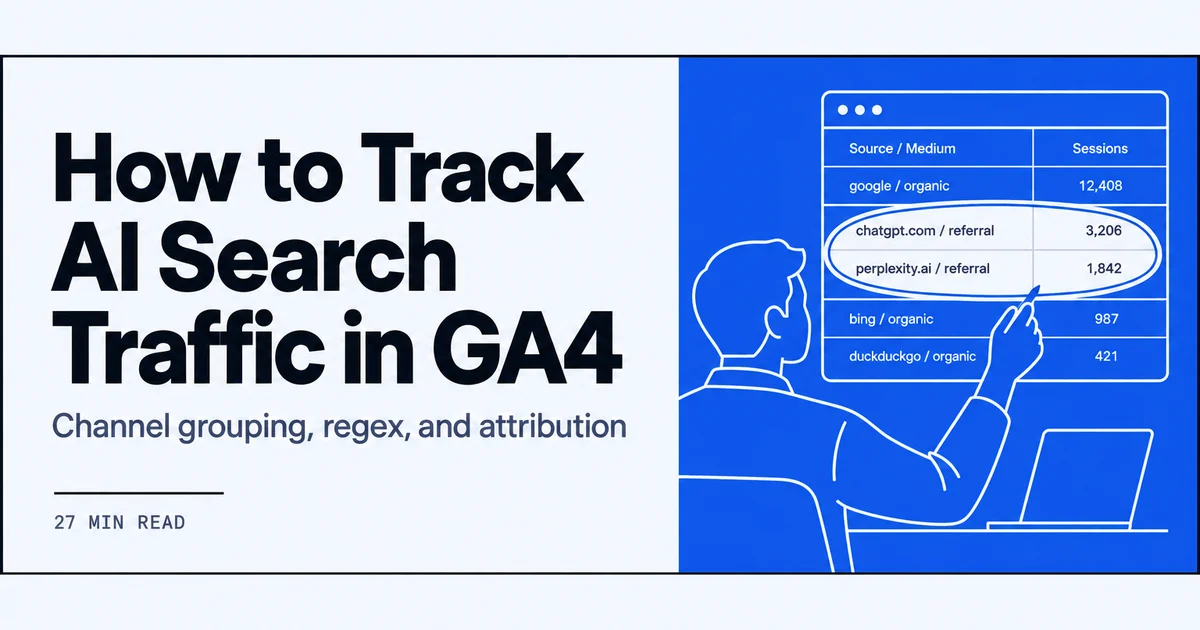
Default GA4 channel reports still fold most assistant visits into Referral. I wrote down the grouping, regex, and attribution steps I actually run.
On this page
- Why I started to track ai traffic in ga4
- What chatgpt traffic google analytics actually records
- Switch Traffic acquisition to Session source/medium first
- Google's AI Assistant channel in channel grouping
- Regex I use when I track ai traffic in ga4
- Attribution models I compare for AI-origin sessions
- GA4 and Search Console measure different things
- The weekly system I run once I can track ai traffic in ga4
- Channel grouping I keep after the regex is in place
- 01
I always switch Traffic acquisition to Session source/medium before I apply any AI filter.
- 02
I group ChatGPT, Perplexity, Gemini, Claude, and Copilot with regex instead of relying on a single channel name.
- 03
I compare GA4's three attribution models and I never treat Search Console clicks as a substitute for AI sessions.
- 04
I report AI sessions weekly next to citation frequency, because entity mentions across domains change how fast citations show up.
Why I started to track ai traffic in ga4
<p>I started because default GA4 channel reports still fold most assistant visits into Referral. I could see sessions arriving, but I could not tell ChatGPT from a partner blog or a random forum. That gap sat next to citation-frequency work I already ran.</p> For more, see ai visibility audit checklist.
<p>I keep the details on what is ai search on the demand side; this guide is the measurement side. I wrote down the grouping, regex, and attribution steps I actually run when I track ai traffic in ga4. I needed a session number I could read without guessing.</p>
AI visits land in mixed referral buckets
<p>When I open Traffic acquisition with the default Channel grouping, assistant-origin sessions sit in Referral next to news sites, documentation hosts, and anything else that sent a click. GA4 is doing what it always did: if the referrer is not a known search engine or a paid source, it lands in Referral. ChatGPT, Perplexity, Gemini, Claude, and Copilot all look like ordinary referrers until I group them.</p>
<p>I cannot read a weekly AI number from that mixed bucket. I have to change the dimension to Session source/medium and inspect the raw hostnames, or add a custom channel that matches those hostnames before the generic Referral rule. Until that split exists, an uptick in Referral can be a product launch, a newsletter, or an assistant answer that included my URL. I needed a split I could trust week after week, without guessing which rows were assistants. Mixed buckets are why default reports were not enough.</p>
Weekly visibility metrics I already collected
<p>I already collected weekly citation-frequency numbers across ChatGPT, Perplexity, Google AI, Grok, and Claude. Those counts tell me how often a brand or a URL shows up in answers. They do not tell me whether anyone clicked through to a page I measure. GA4 is the click and session layer. I keep the two series on the same weekly cadence so I can see whether a citation-heavy week also produced sessions from those assistants.</p>
<p>I do not treat a citation as a session, and I do not treat a session as a mention. The visibility work stays on a separate reporting path; later in this guide I sit the two tables next to each other without merging the metrics. For this opening, the point is simple: I already had the answer-side frequency. What I lacked was a clean session-side number for the same engines. That missing number is what pushed me into source grouping.</p>
Channel grouping, regex, and attribution as the three levers
<p>The rest of this guide uses three levers end to end. First, a custom channel group so assistant referrers are not leftover Referral. Second, regex so one segment can catch the many source strings each assistant produces. Third, attribution so I can see last-click AI sessions versus assisted paths. Google Analytics introduced a dedicated AI Assistant channel for referral tracking, which reduces the need for manual UTM tagging for some AI-originated visits.</p>
<p>I still keep the custom group and the regex because I measure ChatGPT, Perplexity, Gemini, Claude, and Copilot in the same property, not only the visits that native channel covers. Channel grouping comes first so later filters have a named bucket to read. Those three levers are how I track ai traffic in ga4 once the raw source rows look stable. Regex without a group still leaves Referral mixed. I run them in that order on every property I set up.</p>
Video: How To Track AI Traffic in GA4 (Step-by-Step) · Exposure Ninja
What chatgpt traffic google analytics actually records
<p>Before any grouping, I read Session source/medium. ChatGPT and the sibling assistants show up as referral hostnames, not as a named AI channel, unless I have already built one. I use the details on what is chatgpt search when I explain the product side; here I only care what GA4 stores on the session when I track ai traffic in ga4. The strings are messy. One assistant is never one row. That is the raw record I start from every time I inspect chatgpt traffic google analytics rows. I note them first.</p>
Referral hostnames I see from ChatGPT and others
<p>In the Session source/medium table I read referral hostnames, not a friendly assistant label. For ChatGPT I regularly see source values that include chatgpt and openai hostnames with medium referral. Perplexity shows as perplexity hosts. Gemini and other Google assistant surfaces can appear as Google hosts with a referral medium rather than organic. Claude rows include anthropic or claude hostnames. Copilot rows include Microsoft Copilot hosts.</p>
<p>I treat each of those as a kind of string, not as a complete inventory. Product domains and in-app browsers change, so I re-export the unfiltered table instead of relying on last quarter's notes. Those rows are what later regex has to match. If I only look for one hostname per brand, I miss app, chat, and regional variants sitting a few rows away. I keep a working list in the exploration and check it against new rows before I trust the grouped segment. I do not assume last month's hosts still cover this week.</p>
Why one assistant produces several source strings
<p>This is why I never filter for source equals chatgpt and call the job done. One assistant produces several source strings because the click can leave a web app, a desktop wrapper, a mobile webview, or a regional host. ChatGPT is the clearest example: openai and chatgpt hosts both appear in properties I measure. Perplexity, Gemini, Claude, and Copilot do the same in smaller ways.</p>
<p>Reuters coverage of AI-assisted traffic reporting noted that because AI visits may appear under different sources, regex-based filters are commonly used to group sources such as ChatGPT, Perplexity, Gemini, Claude, and Copilot into one AI traffic segment. That matches what I do. I write one pattern that matches the family of strings, then I validate it against the raw rows so I have not swallowed google / organic or an unrelated referral. A single equals filter cannot do that work. Several strings per assistant is the normal case, not an edge case.</p>
Sessions in GA4 are not the same as brand mentions
<p>A session in GA4 is a click that arrived with a referrer I can attribute. A brand mention is an answer that named the brand or cited a URL, whether or not anyone clicked. I track both. I refuse to add them together. High citation weeks with flat AI sessions mean people saw the name and did not click, or the answer had no link. High session weeks with flat citations can mean a handful of answers drove disproportionate clicks, or that my regex is matching extra hosts.</p>
<p>I keep mention tracking on a separate path from this acquisition work. The rest of this article stays on sessions, source strings, grouping, and attribution. Mentions belong in their own log, with their own weekly cadence, so I do not mix a citation count into Traffic acquisition. That separation is the only way the two series stay honest. Clicks and mentions answer different questions on the same week.</p>
Switch Traffic acquisition to Session source/medium first
<p>I change the dimension before I filter. I open Traffic acquisition, switch it to Session source/medium, and only then look for assistant rows. Google's acquisition-report notes describe that same order: Session source/medium first, filters second. I do not mix mention logs into this view. Mentions stay on the path I documented in how to track brand mentions in chatgpt in 2026. This section is only the GA4 click path. Organic baseline comes next, before any AI regex, in that sequence.</p>
How I open the Traffic acquisition report
<p>In GA4 I go to Reports, then Acquisition, then Traffic acquisition. The table defaults to Session default channel group. I change the primary dimension to Session source/medium. I do not add a filter yet. I want every source/medium pair visible, including the long tail, so I can see chatgpt, perplexity, claude, copilot, and google rows in one place. I widen the date range to a week I already understand from citation logs, then I sort by sessions.</p>
<p>Only after that scan do I add a search box or a regex filter to track ai traffic in ga4. If I filter first, I never see the unexpected hostnames that should have been in the pattern. That scan is how I first see chatgpt traffic google analytics source rows without a channel label. I export the unfiltered view so later grouping rules can be checked against the same week. Skipping the export is how I used to miss app hosts. I filter last.</p>
Control check: Session source google and medium organic
<p>Before I touch AI rows, I isolate a source I already trust. I set Session source to google and Session medium to organic, which is the isolation Google documents for organic search in Analytics. I compare the session count to what I expect from Search Console later, knowing the two tools do not share a measurement scope. Right now I only need a known-good baseline: if google / organic looks empty or wildly off, I fix the property before I invent an AI segment.</p>
<p>If it looks normal, I clear that filter and return to the full source/medium table. The AI work starts only after this control check passes. The same acquisition report is also where I later read how many sessions are attributed to organic search, which is why I want that baseline intact. I do not use that organic pair as a proxy for assistant visits; those stay in referral hostnames until I group them. Organic first, assistants second.</p>
Why I do not start from default Channel grouping
<p>I do not start from default Channel grouping because that view still parks most assistant clicks in Referral. Even after Google added an AI Assistant channel, default grouping is not where I discover new hostnames. Marketers described in a Reuters report were using GA4's newer AI-assisted traffic reporting to better separate AI-driven visits from other referral traffic. I still inspect Session source/medium first.</p>
<p>Default grouping hides the raw strings I need to write regex. It also mixes any assistant the native channel does not yet cover back into Referral. I look at source/medium, confirm google / organic, then build or refresh the custom AI group. I keep the native AI Assistant channel in mind, and I still refuse to diagnose new sources from the default channel table alone. Channel grouping is a later lever, not the first screen I open when I track ai traffic in ga4. That order has not changed for me.</p>
Google's AI Assistant channel in channel grouping
<p>Google documented a dedicated AI Assistant channel inside channel grouping. I treat that as one piece of the stack, not the whole stack, when I track ai traffic in ga4. ChatGPT, Perplexity, Gemini, Claude, and Copilot do not all land in one default bucket on every property I open. After I switch Traffic acquisition to Session source/medium, I read that channel against the raw rows, then I keep a custom group in parallel for engines the dedicated channel does not list.</p>
What the AI Assistant channel is documented to do
<p>When I opened the channel grouping documentation, I found that Google Analytics had added a dedicated AI Assistant channel for referral tracking. That channel is documented to catch some AI-originated visits without me adding UTM parameters on every outbound link an assistant might surface. I still do not treat UTM as obsolete. I use tagged URLs when I control the click. For visits I do not tag, the dedicated channel is the documented default path inside grouping. I read it as coverage for a subset of assistant referrals, not as a replacement for Session source/medium inspection. On properties I maintain, I still open the ungrouped source rows first, then I check which of those rows the AI Assistant channel actually absorbs. I treat the documentation as the starting map, then I verify against the live property. I write down which hostnames it absorbed and which ones remained in generic Referral.</p>
Separating AI-driven visits from other referrals
<p>Default Referral still mixed assistant sessions with ordinary referring sites until I split them. I use the newer AI-assisted traffic reporting in GA4 to pull those visits out of the generic referral pile. Reuters reported that marketers were using that reporting to separate AI-driven visits from other referral traffic. That matches what I do on my own properties: I look at Session source/medium, mark the assistant hostnames, then confirm the AI-assisted view is not still counting those same sessions as leftover Referral. I do not treat the split as automatic across every engine. I still compare the AI-assisted rows against ChatGPT, Perplexity, Gemini, Claude, and Copilot source strings I already collected. If a hostname remains in Referral after that split, I park it for the custom group and log the remainder. I leave Organic Search and Direct out of this comparison so the split stays about referrals.</p>
Why I still maintain a custom AI channel group
<p>I still maintain a custom AI channel group next to the dedicated AI Assistant channel. The dedicated channel is documented for a set of AI-originated referrals. Coverage for every assistant hostname I see in Session source/medium was not documented on the official pages I reviewed. ChatGPT, Perplexity, Gemini, Claude, and Copilot still produce source strings that I group myself. I do not move Organic Search or Direct into that custom group. I put the AI rule above generic Referral so those source strings do not remain leftover referrals. The custom group is a parallel view I can filter in Explorations. I use it when I need one AI bucket across engines, not as a substitute for the dedicated channel. I re-read the ungrouped rows after both views are live and confirm which sessions landed where. I keep both views, because they answer different grouping questions on the same property.</p>
Regex I use when I track ai traffic in ga4
<p>Regex is the second lever I use to track ai traffic in ga4. After the dedicated channel and the custom group, I need one filter that catches ChatGPT, Perplexity, Gemini, Claude, and Copilot when they appear under different source strings. I apply that regex in Explorations and in segments. I never start from a single source value. I build the pattern from the raw Session source/medium rows, then I validate the grouped segment against those rows.</p>
Why a single source value never covers an assistant
<p>A single source value never covers an assistant on any property I have opened. Filtering Session source to one brand name still left sibling hostnames in Referral. ChatGPT, Perplexity, Gemini, Claude, and Copilot each produce several source strings. A visit can arrive as a product hostname, a chat subdomain, or a referral that still points at the same assistant. I do not collapse those strings by renaming them in the interface. I group them. Regex-based filters are commonly used to group those assistant sources into one AI traffic segment, which is the method I follow. Until that group exists, default Referral still holds those rows next to ordinary sites. I export the distinct Session source/medium values first, then I write the pattern around that observed list rather than around a name I hoped would be enough. I date that export so I can see when a new hostname appears.</p>
Building one AI traffic segment with regex
<p>In Explorations I create a segment on Session source that uses a regex OR of the fragments I actually observed: the ChatGPT hostnames, the Perplexity hostnames, Gemini, Claude, Copilot, and any Grok rows that showed up in the same export. I apply the same pattern as a filter on Traffic acquisition after I have switched the dimension to Session source/medium. I keep the pattern case-insensitive when the interface allows it. I do not add Organic Search tokens. I do not add Direct. The segment is only the assistant sources. I name it so I can drop it onto any exploration without rebuilding the expression. When a new hostname appears in the raw rows, I add that fragment to the pattern and I re-run the segment. That is how I track ai traffic in ga4 as one bucket instead of a pile of leftover referrals. I reuse the named segment when I compare it with the dedicated AI Assistant channel on the same date range.</p>
Checking the segment against unfiltered source rows
<p>I never trust the segment in isolation. I keep an unfiltered Session source/medium table for the same date range and I tick each AI row against the segment count. If the segment is larger than the sum of the assistant rows I marked, the regex is too broad and I tighten the fragments. If the segment is smaller, I missed a hostname and I add it. I do this before I put the pattern into a custom channel rule. Explorations let me break the match. Channel grouping does not show me the discarded rows as clearly. I also check that google / organic is still outside the segment. That control stops me from pulling classic search into the AI bucket. Once the counts agree, I snapshot the source list next to the pattern so next week's new hostnames are obvious. I file that sheet with the exploration for that week.</p>
Attribution models I compare for AI-origin sessions
<p>Grouped sessions still need credit rules. GA4 offers three attribution models I use to track ai traffic in ga4. I compare them whenever an AI referral sits in the path, because last-click and assisted views do not tell the same story. Search Console is a different job: it counts Google Search clicks, not assistant sessions. I keep those two scopes apart so I do not match a GA4 AI session count to a Search Console click total. I read attribution inside GA4, then I read Search Console on its own terms.</p>
The three attribution models GA4 offers
<p>Inside GA4 I compare the three attribution models the property offers: data-driven, paid and organic last click, and Google paid channels last click. Google Analytics offers those three models, and I switch among them when an AI referral is in the conversion path. Data-driven can spread credit across earlier touches. Last click puts the whole conversion on the final source. Google paid channels last click is the paid-priority variant; I still open it so I know whether an AI referral is being skipped because a paid click sat later in the path. I do not pick a winner in the abstract. I export the same conversion with the AI source in the path under each model and I write down who received credit. That note sits next to the grouped AI session count, not instead of it. Session counts and conversion credit remain two separate columns on the same sheet I use.</p>
Last click on an AI referral versus assisted paths
<p>When the last non-direct click is an assistant, last click gives the conversion to that AI referral. I still open assisted conversions for the same property. An AI session can sit mid-path: someone arrives from ChatGPT, leaves, comes back via google / organic, then converts. Last click credits organic. The AI row still appears as an assist. I record both. I do not inflate the AI channel by forcing last-click credit onto assisted paths. I also do not drop the AI session from the weekly traffic table just because it did not win last click. Traffic acquisition still counts the session. Attribution only changes who owns the conversion. I keep those reports side by side for the same date range so I can see last-click AI conversions versus the larger set of paths where an assistant only assisted. I treat both numbers as real, and I never substitute one for the other. Both stay on the weekly sheet.</p>
Search Console click counting is a different job
<p>Search Console is not a third attribution model I can toggle. It counts each click from Google Search. That count is not an AI-session model and it is not a last-click model I can compare inside GA4. When I want chatgpt traffic google analytics numbers, I stay in the acquisition report and in the grouped AI segment. When I want Google Search clicks, I stay in Search Console. I do not reconcile those two totals. Different measurement scopes sit underneath: Analytics includes all tracked URLs; Search Console reports canonical URLs from Google Search. I mention that split here only so I do not drag Search Console clicks into the AI attribution table. The AI path lives in GA4 session and conversion reports. Search clicks live in Search Console. I keep both open for the same week, and I never add those two counts together.</p>
GA4 and Search Console measure different things
<p>I keep GA4 and Search Console on separate tracks because they do not measure the same thing. Sessions I attribute to an assistant in Analytics are not Search Console clicks, and mixing the two numbers is how I used to overstate both organic search and AI-origin traffic.</p>
<p>Google documents the split in measurement scope; I treat that split as a hard rule when I track ai traffic in ga4.</p>
All tracked URLs versus canonical Google Search URLs
<p>When I compare a landing-page table in Analytics with a Search Console page report, I am not looking at the same URL set. Google’s own comparison of the two products states that Google Analytics includes all tracked URLs, while Search Console reports only canonical URLs from Google Search. An AI referral session count therefore never lines up with a Search Console click total.</p>
<p>A tracked URL can be a parameterized path or a page that never appears in Google Search results, so Search Console omits it unless it is canonical. Assistant referrals often land on those extra URLs because the cited link is whatever the model returned. I read GA4 as every tagged hit, and Search Console as canonical Google Search URLs only.</p>
<p>When a URL shows sessions in Analytics and zero clicks in Search Console, that visit was usually not a Google Search click on the canonical URL. That mismatch is expected for assistant-origin sessions.</p>
Isolating Google organic as a baseline
<p>When I need a known-good organic baseline, I filter Session source to google and Session medium to organic. That isolation is the method Google documents for separating Google organic traffic in Analytics. I run it before I look at AI-origin rows so I do not mix classic organic search with assistant referrals that mention Google in the source string.</p>
<p>The filter does not include Gemini, AI Overviews, or other assistant hostnames. Those rows stay out of the google / organic pair until I group them myself. If I leave default Channel grouping on, some assistant sessions still sit in Referral, so I do not use default Organic Search as a stand-in for every search-like visit.</p>
<p>I keep a weekly screenshot of the google / organic pair as the control. When AI-grouped sessions rise and google / organic stays flat, I read that as two different acquisition paths, not as organic search leaking into the AI bucket.</p>
How I read chatgpt traffic google analytics beside Search Console
<p>I use the acquisition report to investigate session sources and the number of sessions attributed to organic search. Google Analytics offers three attribution models, while Search Console counts each click from Google Search. I never line up a Search Console click total against an Analytics session total and call the gap an error.</p>
<p>When I read chatgpt traffic google analytics next to Search Console, I keep the columns separate: source/medium and sessions on the Analytics side, query and click on the Search Console side. An assistant referral can produce a session with no corresponding Search Console click. A Search Console click can produce a session that Analytics attributes to google / organic, not to an assistant.</p>
<p>I refuse to force AI-grouped sessions into the organic search narrative. If the acquisition report shows assistant hostnames, I leave them in the AI group I already built. Search Console remains my record of Google Search clicks on canonical URLs.</p>
The weekly system I run once I can track ai traffic in ga4
<p>Once the grouping, regex, and attribution checks are in place, I stop treating the work as a one-off audit. I run a weekly cadence that puts grouped AI sessions next to citation frequency.</p>
<p>The two numbers answer different questions, so I keep them in adjacent columns rather than blending them into one score. That cadence is how I actually track ai traffic in ga4 after the setup work is done, and how I notice when citations move without sessions, or sessions move without citations.</p>
Citation frequency across ChatGPT, Perplexity, Google AI, Grok, and Claude
<p>Every week I log citation frequency for the same brand queries across ChatGPT, Perplexity, Google AI Overviews, Grok, and Claude. I count how often the brand is cited, on which URLs, and whether the citation is a link or a name-only mention. I built a small checker for this, AI Rank Checker, so I could repeat the same prompt set without rewriting it by hand each Monday.</p>
<p>The sheet is not a traffic report. A citation can exist with zero referred sessions. An assistant can send sessions without a citation I recorded that week, because the user followed a link from a conversation I did not sample. I treat the citation log as visibility, not as a GA4 session forecast.</p>
<p>I keep the engine list fixed. Adding a new assistant mid-quarter without a backfill makes week-over-week comparison noisy, so I only add a column when I am willing to score it every week going forward.</p>
Putting GA4 AI sessions beside those citation counts
<p>On the same Monday I pull the grouped AI sessions from Explorations, the regex segment I already validated against raw Session source/medium rows, and I paste that count next to the citation frequencies. I do not convert citations into sessions or sessions into citations. I only look at direction: both up, both down, or split.</p>
<p>A split is the useful case. Citations up and sessions flat usually means the model is naming the brand without users clicking through. Sessions up and citations flat usually means traffic arrived from hostnames I grouped, from conversations I did not sample that week. Either pattern tells me which lever to inspect next: entity copy on the site, or the channel group and regex.</p>
<p>I never average the two into a single AI visibility number, and I do not rank weeks by that blend. That average hides the split, which is the only reason I sit them side by side.</p>
Consistent entity mentions across domains and citation pickup
<p>The pattern that moved citation pickup fastest for me was not a new GA4 filter. It was consistent entity mentions of the brand across domains I already published on, same name, same product phrasing, same organization identifiers, so an assistant assembling an answer saw a stable entity. After I tightened that consistency, weekly citation frequency rose on the engines I already scored, before I saw a matching jump in grouped AI sessions.</p>
<p>I do not treat that sequence as a statistic I can publish. I only know it in my own properties: entity consistency first, citation pickup next, referred sessions later or not at all. The weekly sheet keeps a notes column for entity changes, about-page copy, sameAs links, bylines, separate from the session count.</p>
<p>If a domain uses a different brand string than the others, I flag it in that notes column. Split naming is the first thing I check when one engine cites us and another does not.</p>
Channel grouping I keep after the regex is in place
<p>The regex segment is enough for Explorations. It is not enough for the default Traffic acquisition view my stakeholders open. After the regex is stable, I persist AI as a first-class channel in a custom channel group so assistant sessions stop sitting in Referral.</p>
<p>I do that without moving Organic Search or Direct into the AI group. I still use the regex in Explorations when I track ai traffic in ga4; the custom group is what makes the same split visible in standard reports.</p>
Rules order: AI group before generic referral
<p>GA4 channel groups evaluate rules from the top down. The first matching rule wins. If generic Referral sits above my AI rule, chatgpt.com, perplexity.ai, and the other assistant hostnames match Referral first and never reach the AI group. I therefore place the AI rule immediately above Referral, and I keep the match condition aligned with the same regex I use in Explorations. I copy the pattern from the segment rather than rewriting it from memory.</p>
<p>The AI rule matches Session source against that regex (and Session medium referral, where that is what the hit actually carries). I do not match medium organic here. Organic stays in Organic Search because source google and medium organic are a different path.</p>
<p>After I save the group, I switch Traffic acquisition to the custom group and confirm Referral no longer contains those assistant hostnames. If they are still in Referral, the rule order is wrong or the regex does not match the raw source string.</p>
What I leave in Organic Search and Direct
<p>I leave the Organic Search rule and the Direct rule exactly as Google ships them. The AI group is only for assistant referral sources. If I broaden the AI regex to something like “google” or “search”, I will pull google / organic into AI and destroy the baseline I use as a control.</p>
<p>Direct is the other trap. Sessions with (direct) / (none) are not assistant visits. I never add (direct) or (none) to the AI rule. Unassigned and Cross-network stay where they are; I am not using this group to tidy every leftover channel.</p>
<p>When I review the group, I scan Organic Search and Direct session counts against the week before the group went live. If either count drops by roughly the size of the new AI channel, the AI rule is too broad and I tighten the regex back to the assistant hostnames I actually see.</p>
Re-checking chatgpt traffic google analytics after the group ships
<p>After the custom group is live, I go back to Session source/medium and filter for the ChatGPT hostnames I already know, chatgpt.com, chat.openai.com, and any other string that property recorded. I check that those rows now sit in the AI channel, not in Referral. That re-check is how I read chatgpt traffic google analytics after grouping, rather than trusting the group name alone.</p>
<p>I repeat the same pass for Perplexity, Gemini, Claude, and Copilot source strings. One assistant still produces several source strings, so a single hostname passing is not enough. If Claude rows moved and Copilot rows did not, the channel regex is narrower than the Exploration segment, and I align them the same day.</p>
<p>Spot-check a google / organic row and a (direct) / (none) row to confirm those controls did not move. Only then do I treat the custom group as the weekly production view.</p>
Frequently asked
I still use regex even after Google Analytics added the AI Assistant channel. That channel reduces the need for manual UTM tagging for some AI-originated visits, but AI sessions still land under different sources. I group ChatGPT, Perplexity, Gemini, Claude, and Copilot with a regex filter so one AI traffic segment covers what the dedicated channel does not.
I see ChatGPT land under more than one source/medium pair because AI visits may appear under different sources. Some sessions arrive as a referral from chatgpt.com, others carry a different host or medium. I switch the Traffic acquisition report to Session source/medium before filtering, then use regex to group those pairs into one AI segment.
I keep Organic Search out of the AI group by isolating it first. I set Session source to google and Session medium to organic, then I build the AI regex only on remaining sources such as ChatGPT, Perplexity, Gemini, Claude, and Copilot. I inspect Traffic acquisition on Session source/medium so those organic sessions never match the AI filter.
When the last click is an AI referral, last-click credit goes to that AI source. Google Analytics offers three attribution models, so I do not treat last click as the only view. I compare how those models assign the same sessions, then I still inspect Session source/medium so the AI referral is visible alongside earlier channels.
I expect the counts to differ. Google Analytics includes all tracked URLs and uses three attribution models, while Search Console reports only canonical URLs from Google Search and counts each click from Google Search. AI referrals in GA4 are not Google Search clicks, so they will not line up with Search Console session or click totals.
I review the AI regex and channel group whenever Google Analytics changes referral grouping, such as the AI Assistant channel, and whenever a new assistant host shows up in Session source/medium. In practice I check monthly in Traffic acquisition, then tighten the regex so ChatGPT, Perplexity, Gemini, Claude, and Copilot still group and leave google organic sessions in Organic Search.
